Yogurt Meeting Notes: Bot-Free, Local AI, How It Works
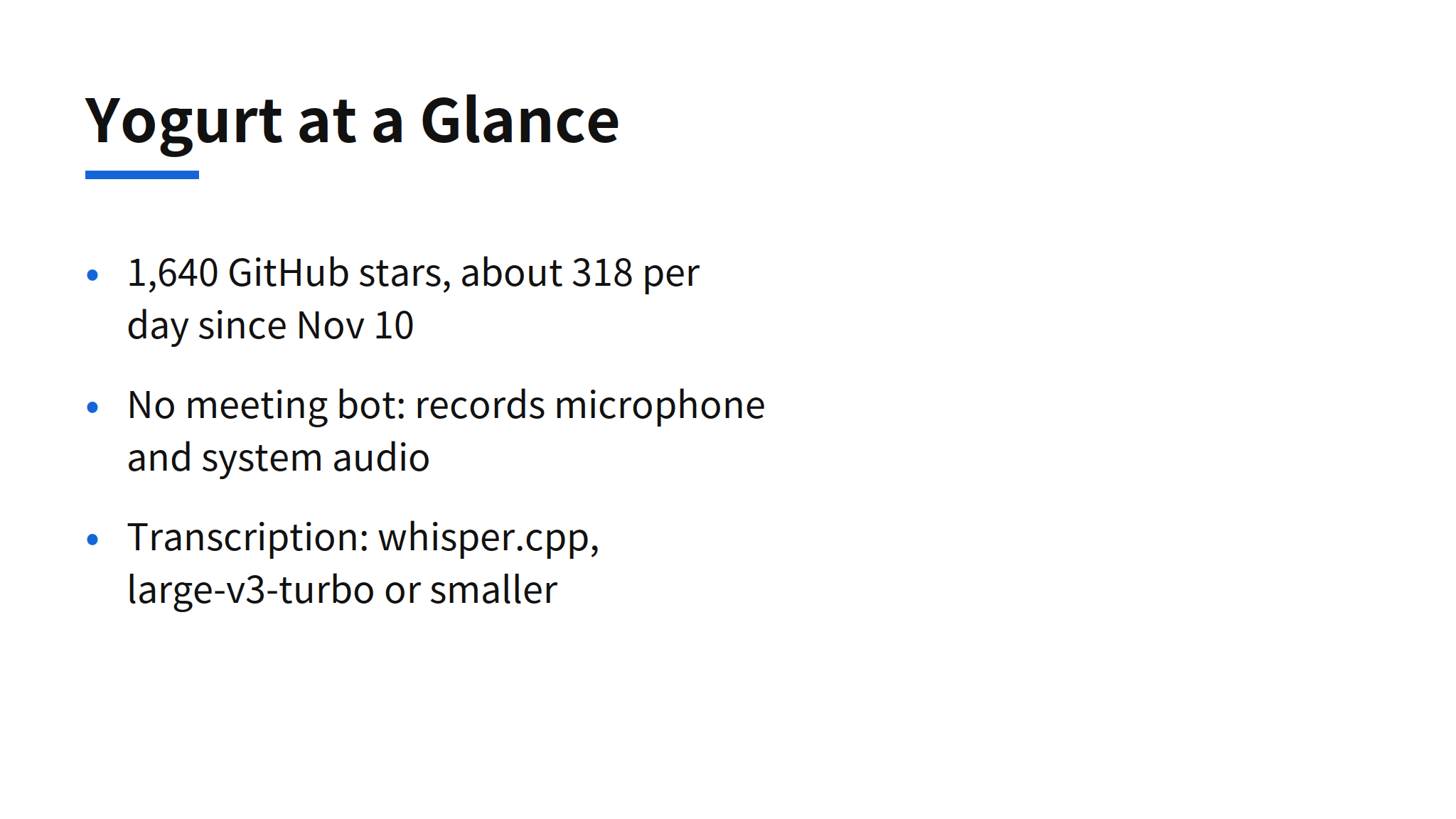
Yogurt is a free, open-source meeting notes app from FrigadeHQ that records calls without adding a bot to the meeting, then transcribes and summarizes them on your own computer. The README positions it directly as an alternative to Granola, the paid meeting notes service, and the project reached 1,640 GitHub stars within about five days of its November 10 creation, a pace of roughly 318 stars per day. The license is MIT, the code is TypeScript, and downloads are available for Mac, Windows and Linux.
The design choice that matters is where the audio goes, which is nowhere. Most meeting tools either join the call as a visible bot participant or upload recordings to a cloud service for transcription. Yogurt captures your microphone and system audio locally, runs speech recognition and summarization locally, and stores recordings, transcripts and notes in a folder on your machine. For teams whose meetings cover unreleased products, hiring or finances, that removes the vendor review step that often blocks cloud note takers entirely.
Recording Without a Meeting Bot
Yogurt records your microphone and the sound playing on your computer, so it works with any call app rather than depending on a platform integration. Call detection covers Zoom, Teams and Meet. The app watches which programs are using the microphone, and for browser calls it also checks the tab title or a nearby calendar event with a call link. When a supported call starts, Yogurt offers to record. Recording begins only when you accept, and it stops automatically when the call ends.
The bot-free design has a social side as well as a technical one. A bot participant announces itself to everyone on the call and sometimes triggers a separate approval flow in regulated meetings. A local recorder is invisible, which is exactly why the README is explicit about consent: let the other people on the call know you are recording. The tool removes the bot, not the obligation.
Speaker naming shows the current platform gap. Yogurt can name speakers from Zoom, Teams and Meet on Mac only, using Accessibility permission to read who is speaking in the call app. Calendar integration is also Mac only for now. Windows and Linux users get recording, transcription and summaries, but the diarization layer that attaches names to voices is not there yet, and the README says so plainly rather than implying parity.
Local Transcription and Summarization Pipeline
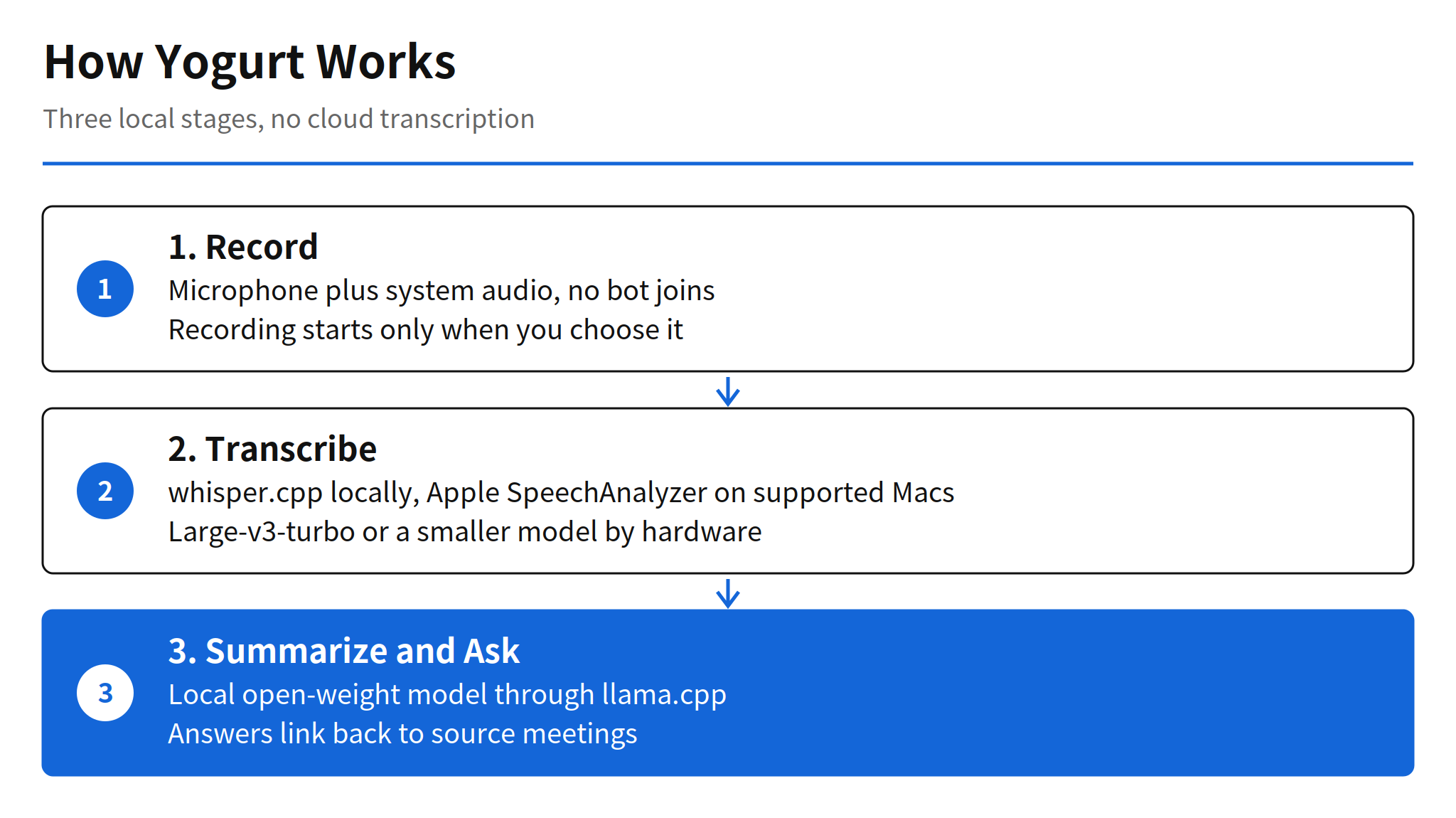
Transcription runs through whisper.cpp, using Whisper large-v3-turbo or a smaller model depending on what your computer can handle. On supported Macs, Apple SpeechAnalyzer supplies live words during the call while Whisper produces the saved transcript. Summaries and cross-meeting answers run through llama.cpp with a local open-weight model from the Gemma 4, gpt-oss or Qwen3 families, again chosen for your hardware. The app itself is Electron and needs no account.
The cost of local processing is paid up front, in downloads and disk. Setup first downloads a smaller notes model of about 5 GB, then the best model your computer can run well, which can be 14 GB or more. After that one-time download, transcription and summaries work offline, and the app only goes online for model downloads and update checks. That trade will suit a user on a capable laptop with a full disk. It will suit a thin client or a locked-down work machine much less, and Yogurt tells you during setup if your computer is too slow.
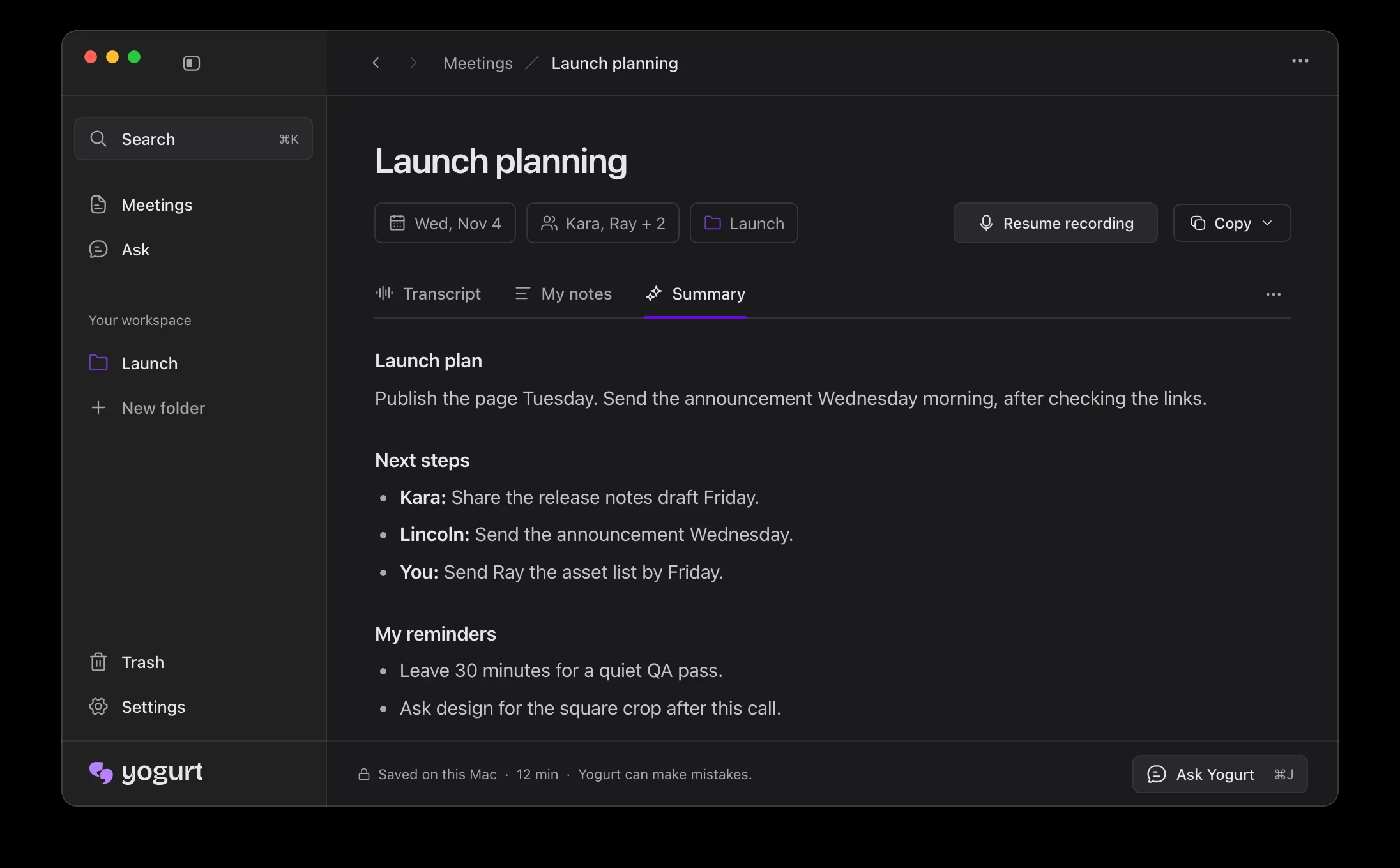
Output handling is deliberately plain. Notes and transcripts can be copied or exported as Markdown, meetings are organized in folders and searchable by title, notes or transcript, and the question feature answers across meetings with links back to the source conversation. Multi-language mode transcribes 99 languages, summaries follow the main language of the meeting, and answers follow the language of your question. The app interface itself offers 32 languages.
My read: the interesting part is not that local models can do this, it is that the packaging finally hides the machinery. A year ago, local transcription meant assembling whisper.cpp and a summarizer yourself. Yogurt ships both behind one installer with hardware-based model selection, which is the step that turns an on-device capability into a product a non-developer can install before a meeting.
Local MCP Server and the Privacy Boundary
Yogurt includes a local MCP server so an assistant app of your choice can read your meeting notes. Access is off by default. Turning it on in Settings, under AI apps, gives connected apps read-only access to meetings, notes and transcripts. They cannot change anything. On Mac and Linux the connection uses a socket in your profile folder with 0600 permissions, so only your user account can open it. On Windows it uses a named pipe with a new random name at each launch.
The README is unusually honest about the limits of this design. There is no per-app token, so any app running under your account can read while access is on, and connected apps are shown by their self-reported names. More importantly, an assistant app may send what it reads to its own online model. That is the seam in the local-only story: Yogurt keeps your archive on your machine, but the moment you let a cloud assistant query it, the answers leave through the assistant. The control is a single switch, and turning it off stops further reads.
Requirements and Platform Differences
- Mac: Apple silicon, macOS 14.4 or newer. Speaker names and calendar reading are Mac only for now.
- Windows: 64-bit Windows 10 version 2004 or newer. The README notes that Windows may show a protected your PC prompt because the app is not yet signed with a Microsoft certificate, and directs users to More info, then Run anyway.
- Linux: 64-bit Ubuntu 22.04 or newer, distributed as an AppImage.
- Memory: at least 8 GB on every platform, plus the model downloads described above.
- Storage locations: meeting data lives under Application Support on Mac, %APPDATA% on Windows, and .config on Linux, per the README.
Limits and Unconfirmed Points
- No accuracy benchmarks: the README names the transcription and summary models but publishes no word error rate or summary quality comparison. How large-v3-turbo on a given laptop compares with cloud transcription is unconfirmed.
- No third-party Granola comparison: Yogurt presents itself as a Granola alternative, but no independent side-by-side test of features or accuracy was found in the sources for this article.
- Platform parity is incomplete: speaker naming and calendar support are Mac only. Whether Windows and Linux reach the same experience, and when, is unconfirmed.
- Star count is a snapshot: 1,640 stars and the 318 per day pace were observed on November 16, 2026, about five days after the repository was created. Early growth rates rarely hold, and this article does not project them forward.
FAQ
Does Yogurt join meetings as a bot?
No. Yogurt records your microphone and the sound playing on your computer, so no bot joins the call. The README adds that you should let the other people on the call know you are recording.
Which AI models does Yogurt use?
Transcription uses Whisper through whisper.cpp, with large-v3-turbo or a smaller model depending on your computer, and Apple SpeechAnalyzer supplies live words on supported Macs. Summaries and answers use a local open-weight model from the Gemma 4, gpt-oss or Qwen3 families, run through llama.cpp.
How much does Yogurt setup download?
Yogurt downloads a smaller notes model first, about 5 GB, then the best model your computer can run well, which can be 14 GB or more. After that one-time download, transcription and summaries run locally and work offline.
What computer does Yogurt need?
A Mac with Apple silicon and macOS 14.4 or newer, a 64-bit PC with Windows 10 version 2004 or newer, or a 64-bit Linux computer with Ubuntu 22.04 or newer. Each needs at least 8 GB of memory.
Can other apps read Yogurt notes through MCP?
Only if you turn access on in Settings, under AI apps. Access is off by default, read-only, and covers meetings, notes and transcripts. The connected app may send what it reads to its own online model, which is the one place the local-only story ends.
Related Reading
- DigitalOcean Cuttlefish Release: iPhone Agent Supervision, another local-first tool built around keeping work on hardware you control
- llama.cpp v1.0.0 Release: API Stability and What Changes, on the local inference runtime Yogurt uses for summaries