Cursor Voice Chat with Agents: Real-Time Coding Calls
Cursor announced Voice Chat with Agents on November 6, 2026. The feature puts a developer in a real time voice call with an agent while coding work runs in the same chat. It works in the Agents Window, the IDE, the web app and Cursor for iOS, and the voice layer is powered by Grok Voice.
The change is about how long agent runs get supervised. Coding agents now work for extended stretches, and the usual pattern is to watch the screen or wait for the run to finish before typing the next instruction. A live call removes that wait state: the developer can ask what changed in a diff, check run status and redirect the work while it is still in progress, using voice instead of the keyboard.
Starting a Call From the Chat Input
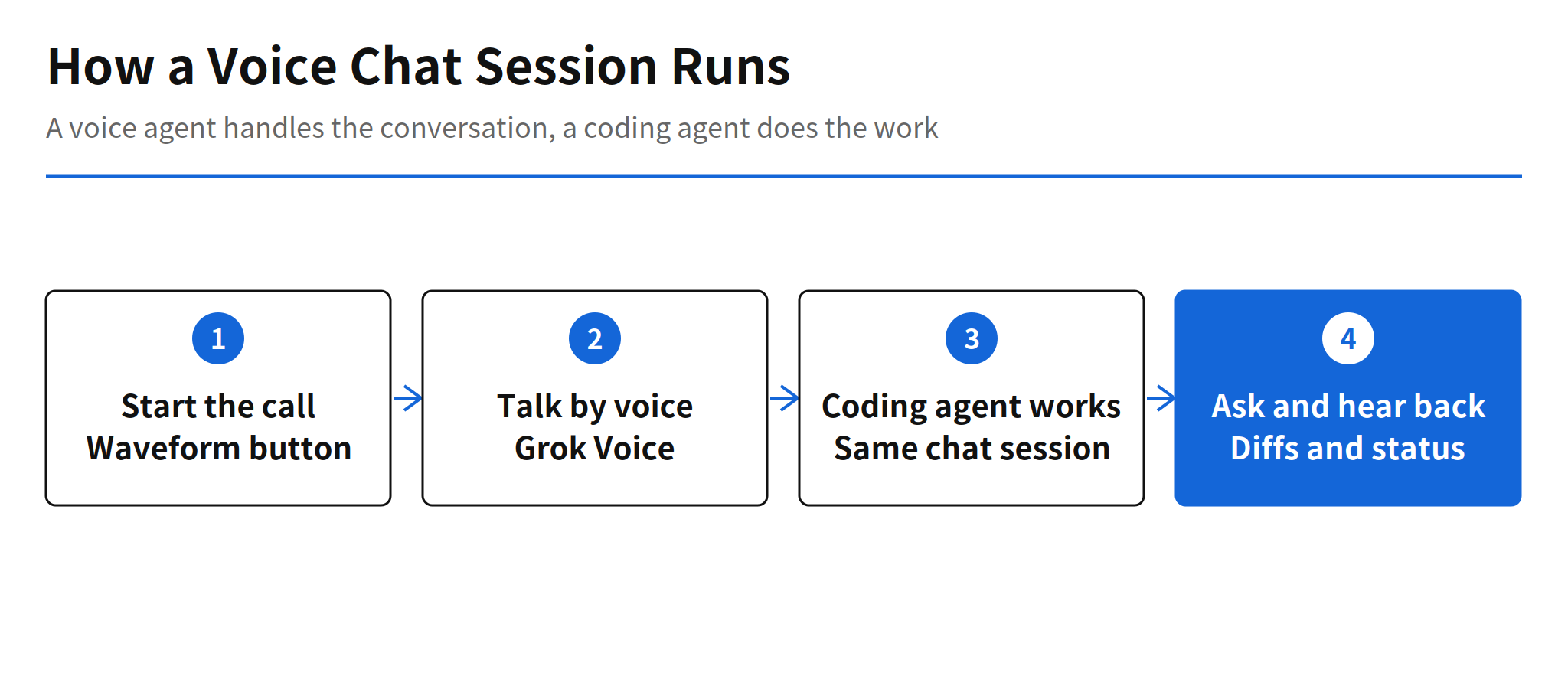
A call starts from a waveform button labelled "Start voice chat". The button appears where the Send button normally sits, next to the microphone button used for dictation, and it is available when the agent is idle and the chat input is empty. On iOS, the entry point is voice itself: saying "Hey Siri, call Cursor" starts a call with a new agent, and the lock screen Live Activity can mute or end the call.
Cursor keeps dictation and voice chat as separate features, and the distinction matters. Dictation is an input method that turns speech into text. Voice chat is a conversation: a voice agent listens, answers out loud and passes coding tasks to the coding agent in the same chat. The coding agent speaks as well, giving short progress notes while it works and a short answer when it finishes.
Two Agents in One Session
The architecture splits the session into two layers. The voice agent owns the conversation: it listens, replies, searches previous messages and calls, and moves between workers in a Project. The coding agent owns the implementation and receives the work from the voice agent inside the same chat. Voice processing is handled by Grok Voice, and the available voices in Voice settings include Ara, Eve, Leo, Rex and Sal.
That split is the most reusable part of the design. A conversational layer that is good at listening and summarising does not have to be the same model that writes code, and Cursor is explicit that turning on voice does not change the coding model. The selected coding model keeps doing the coding, so voice is an interface upgrade rather than a model swap. For teams designing their own agent interfaces, the same pattern applies: keep the dialogue layer thin and let it delegate to the execution layer.
Access, Privacy and Limits
Three practical constraints come with the launch. Starting a call requires a signed in Cursor account, and a session authenticated with an API key cannot start a call. With Privacy Mode enabled, voice chat runs with zero data retention. A daily call limit exists, but the documentation does not publish the number of calls or minutes, only that Cursor will indicate when calling becomes available again after the limit is reached.
What is missing from the announcement is any measured effect. Cursor does not report how much supervision time or review effort the call format saves, only that concurrent conversation is now possible. That leaves the core question open for real teams: whether talking through a run actually shortens it, or simply makes the waiting feel shorter. The answer will depend on how often developers need mid run corrections, which is exactly the workload Android teams running long agent sessions already have.
Related Reading
Cursor has been widening the agent surface in the same period, including the Live Apps launch covered earlier. For a different vendor moving agent supervision out of the editor, see the report on Antigravity remote agents.
FAQ
Where does Cursor Voice Chat with Agents work?
Voice chat works in the Agents Window, the IDE, the web app and Cursor for iOS. On iOS, saying "Hey Siri, call Cursor" starts a call with a new agent, and the lock screen Live Activity can mute or end it.
How is voice chat different from dictation in Cursor?
Dictation turns speech into text input. Voice chat is a two way conversation: a voice agent listens and answers out loud while handing coding work to the coding agent in the same chat.
Which model handles the voice in Cursor voice chat?
Grok Voice handles voice processing, with voices such as Ara, Eve, Leo, Rex and Sal selectable in Voice settings. The coding work itself stays with the coding model already chosen, so enabling voice does not change that model.
Is there a daily limit on Cursor voice calls?
The documentation states that a daily call limit exists, but it does not publish the number of calls or minutes. Cursor says it will tell the user when calling is possible again after the limit is reached.