Antigravity Remote Agents: Cloud Coding Sessions, Pricing
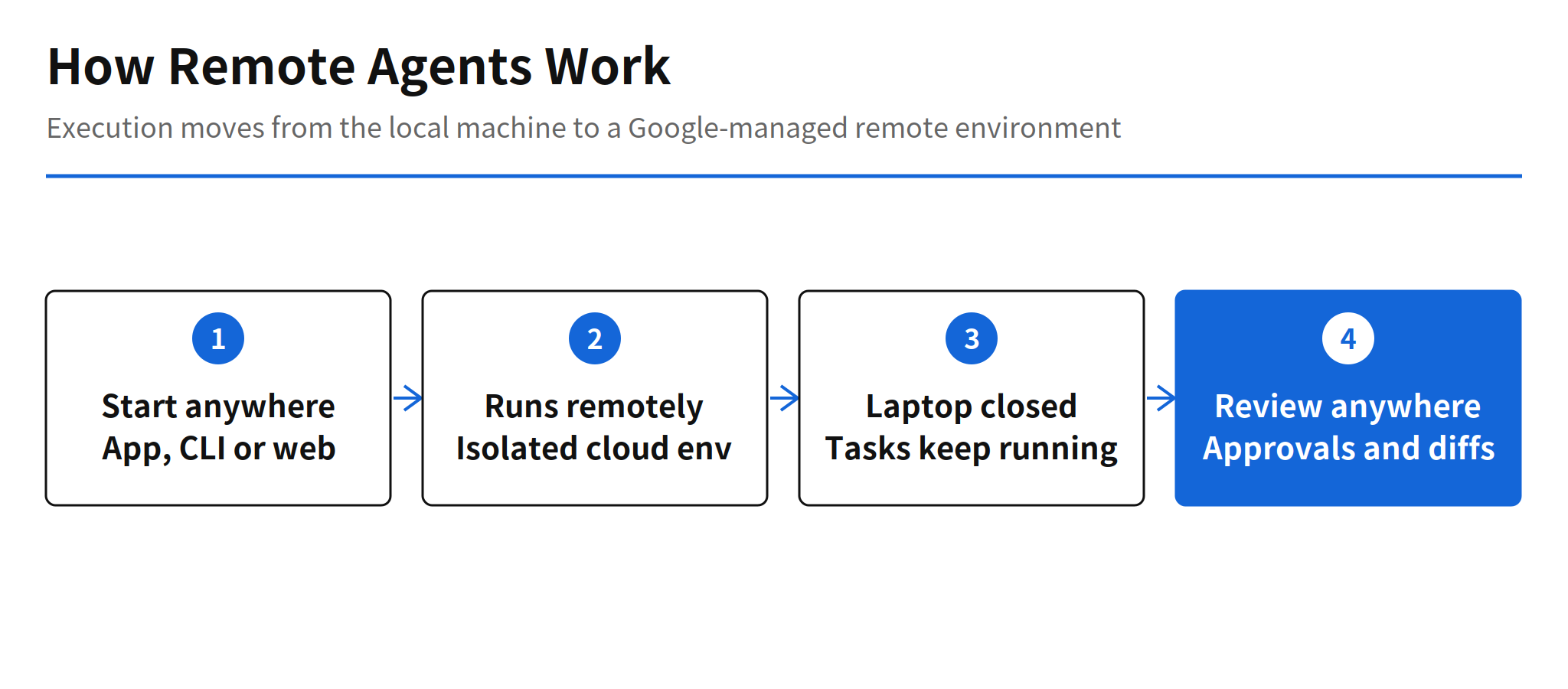
Google is rolling out Remote Agents for Antigravity, announced through official posts from the @antigravity account on November 5, 2026. The feature runs agent sessions and their tools in an isolated, Google-managed remote environment instead of on your own machine. Close the browser, put the laptop to sleep or pick up another device, and long tasks and command execution keep going on Google's side.
That removes the oldest constraint in local agent workflows. A coding agent is only useful while the machine hosting it stays awake, online and untouched, which is why long runs tend to happen chained to a desk. Moving execution into the cloud turns the local device into a control surface: you start work where you are, and the session no longer cares whether that device stays open.
How Remote Agents Differ From Remote Control
Antigravity already had a feature called Remote Control, and the naming overlap hides a real architectural difference. Remote Control lets you steer a session from elsewhere, but the work still runs on your workstation, which has to stay powered on and online, and the agent works against your local filesystem. Remote Agents move the execution itself. The session, the tools and the working files live in the remote environment, so the workstation leaving the picture no longer stops anything.
The timing also says something about Google's agent lineup. With the Jules shutdown already announced, Google's asynchronous coding agent story now consolidates inside Antigravity rather than in a separate product. Remote Agents are the piece that makes that consolidation credible, because an async agent that still depends on your laptop being awake is async in name only.
Resources and Plugins in Remote Projects
Remote projects attach Resources instead of folders. A GitHub repository connects through OAuth and is then cloned and mounted automatically, and Google Drive files and direct uploads can be used alongside it. The upload caps are concrete: 8 MiB per file, 50 files and 100 MiB per project, and 2 GiB across the account. Those numbers frame the intended use. Repositories carry the real code, while uploads are for supporting material, not for mirroring a whole local workspace into the cloud.
Plugins connect through a Marketplace, with GitHub, Google Drive, Docs, Sheets, Slides and Calendar listed so far. OAuth credentials are encrypted at rest and injected securely only at request time, according to the official documentation. That detail matters more than it looks: a remote agent that holds standing credentials for your code and documents is a high-value target, and encrypting stored tokens while injecting them per request is the minimum bar for trusting the setup with real repositories.
Access, Plans and Pricing
There are three ways in: the Antigravity app, the Antigravity CLI and the web at antigravity.google.com. Starting from the web takes a personal Google account on a Google AI Pro or Ultra plan. Reporting from Hermes adds that the free tier, Google AI Plus, and Workspace and Google Cloud business accounts cannot use the feature. If that reporting holds, the launch audience is individual subscribers first, which is an unusual order for a capability that team workflows would benefit from most, and it leaves the business rollout as a separate, still unannounced step.
On cost, only the subscription gate is clear. Whether remote execution carries its own usage charge on top of the plan price is unconfirmed, and that gap is where the practical evaluation stalls. A session that runs for hours in a managed cloud environment has real compute behind it, so the pricing model, included quotas and overage rules will decide whether Remote Agents are a daily driver or a feature people ration.
Limits and Unconfirmed Details
The rollout is gradual, so accounts will see Remote Agents at different times and early absence from your account says nothing about eligibility. Two details in circulation rest on secondary reporting rather than the official documentation: the minimum CLI version of 1.4.12, and the claim that the default permission preset for remote sessions runs commands without asking for approval. The second one deserves attention before you attach anything sensitive. Hermes reported that preset, and until the permission defaults are confirmed in the official docs, checking the permission settings first is the sensible order of operations for any repository you connect.
For a developer, the workflow change is easy to picture. Kick off a long task before leaving, approve actions and review diffs from a phone on the way home, and find the pull request finished in the morning. Whether that picture survives contact with pricing, permission defaults and a gradual rollout is what the next few weeks will show.
Related Reading
For another hosted agent runtime with published pricing, see the report on Kimi Hosted Agents, pricing and skills. For supervising agent sessions from a phone, see Cuttlefish, the iPhone app for agent session supervision.
FAQ
What are Google Antigravity Remote Agents?
Remote Agents run agent sessions and their tools in an isolated, Google-managed remote environment instead of on your own computer. Long tasks and command execution keep going even if you close the browser, put the laptop to sleep or switch to another device.
Who can use Remote Agents?
Sessions can be started from the Antigravity app, the Antigravity CLI or the web at antigravity.google.com. Starting from the web requires a personal Google account with a Google AI Pro or Ultra plan, and reporting from Hermes says the free tier, Google AI Plus, Workspace and Google Cloud business accounts cannot use the feature.
What are the upload limits for remote projects?
Uploads are capped at 8 MiB per file, 50 files and 100 MiB per project, and 2 GiB across the whole account. GitHub repositories connect through OAuth and are cloned and mounted automatically.
How do Remote Agents differ from Remote Control?
Remote Control already existed in Antigravity, but it required your workstation to stay on and online and it used your local filesystem. Remote Agents move the execution itself into Google's cloud, which removes that requirement.
What is still unconfirmed about Remote Agents?
The rollout is gradual, so accounts see the feature at different times. Pricing for the remote execution itself, beyond the subscription, is unconfirmed, and the reported minimum CLI version of 1.4.12 comes from secondary reporting rather than the official documentation.