Lastbook: Offline Survival Library With Local AI and Maps
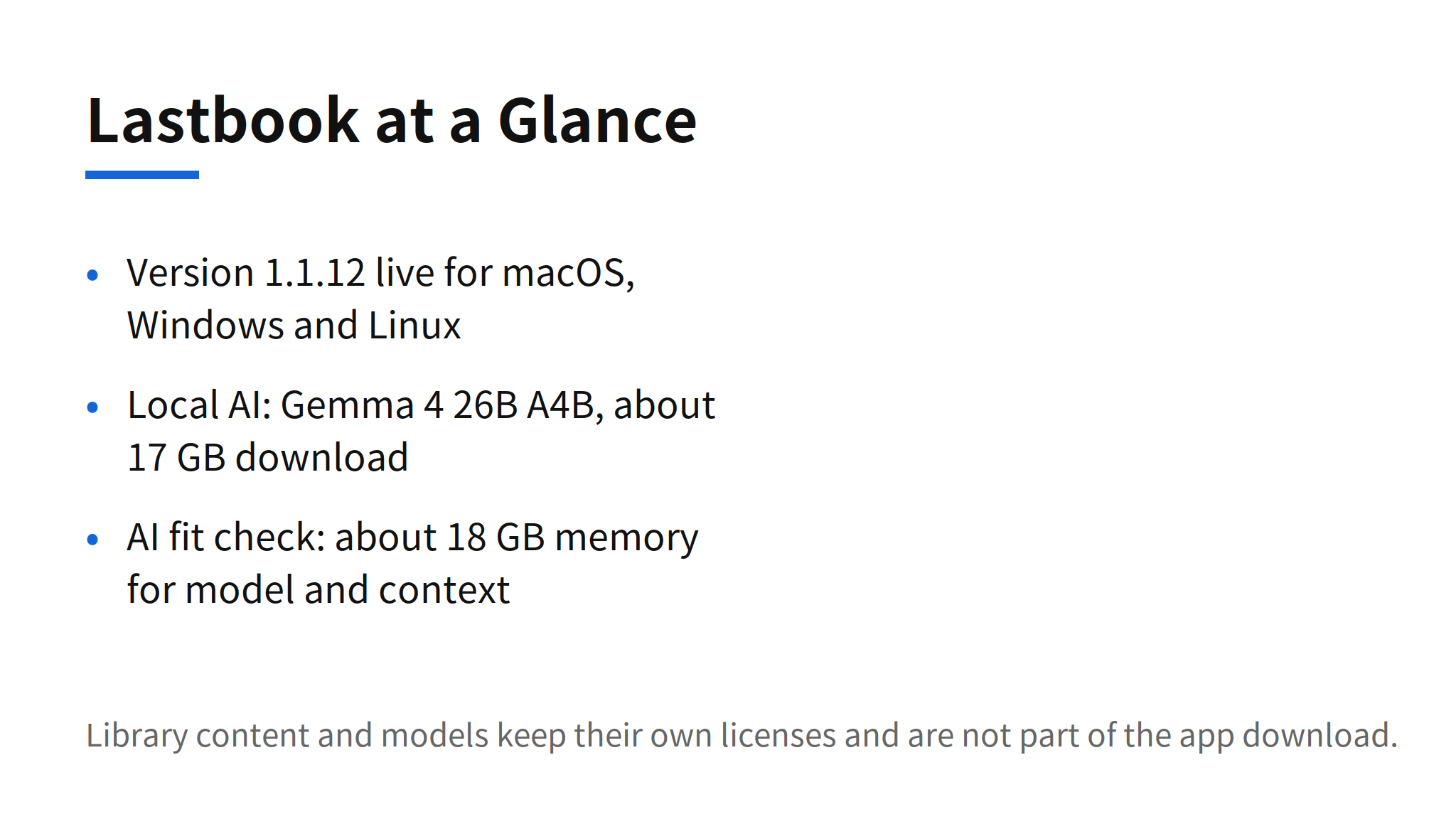
Lastbook is an offline survival library that puts manuals, videos, encyclopedias, an offline map and short practical guides on one computer, then keeps working with no internet connection. Version 1.1.12 is live on lastbook.org for Mac, Windows and Linux. The part that separates it from a folder of downloaded files is Chat: it answers questions from the library itself and links each answer to its sources, using an optional local AI model that runs on the same computer.
The timing explains the attention. The repository was created on November 12, 2026, and reached 2,156 GitHub stars in its first seven days, about 308 stars a day. That pace does not prove the library is complete, and the project is open about what is not in the repository. It does show that the premise lands: when networks fail, cloud AI is unreachable, so the knowledge and the model have to already be on the device.
What the Library Contains
Three content layers sit under one desktop sidebar, which opens Videos, Map and Chat. Short curated guides come first. Each guide covers an urgent need, points to real pages in the library with page numbers, and records what the curators looked for and did not find, in a gaps file that stays visible instead of being hidden. Behind the guides sits the full library: manuals and PDFs with a whole PDF view, videos, and offline encyclopedias in ZIM format, with keyword search everywhere and meaning based search on Windows.
The map is built for the same failure mode. A base map covers the world and the US, and setup adds a detailed map for one selected US state, with local streets, buildings, terrain, crops, water, and help and resource points. Addresses in that state can be found offline. The person picks the state during setup, and Lastbook states plainly that it never detects location. A state map replaces the library map set rather than merging with it, and the larger packs widen the coverage: Medium already holds California, and All holds the whole US.
The library itself is not in the GitHub repository. The README puts it at hundreds of gigabytes of third party manuals, videos and encyclopedias, each under its own terms, distributed as packs with a Sources and permissions page in each pack. That split matters for anyone evaluating the project. The code can be audited on GitHub, but the content a person would actually rely on arrives as a pack, and its full size and source composition were listed as unconfirmed in the original research.
How Setup and Offline Use Work
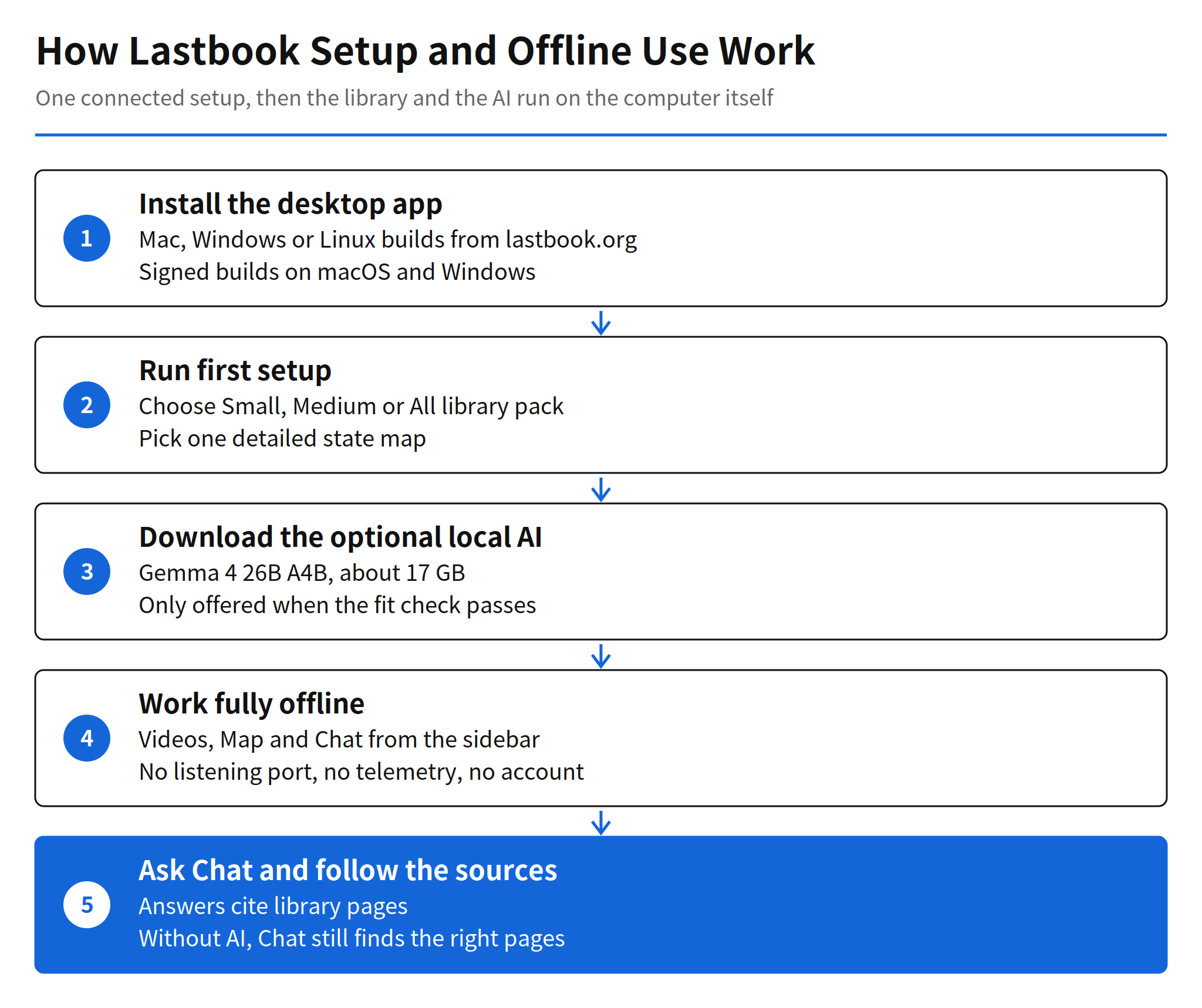
Setup is the one connected phase, and it is deliberately narrow. On first run the person chooses a Small, Medium or All pack, selects a state map, and starts the checked downloads. Setup defaults to Small, and it selects the local AI when the computer can run it. A library already on the computer, as a folder or a pack zip, can be used instead of downloading. Every download is checked against the SHA-256 hash in the manifest before use, and new data is unpacked beside the old library, checked, and switched in with a single rename, so a failed update leaves the working library intact.
After setup, the network posture is strict enough to be a feature in itself. The desktop app opens no listening port, carries no telemetry and no account, and runs nothing on a timer that reaches the network. The only two network uses are both started by the person: the setup downloader, and an update check that only reports whether a newer version exists when the person presses the button. Downloads go over HTTPS on port 443 to allow listed hosts only, and the downloader trusts a pinned set of 11 root certificates rather than the system trust store.
The Local AI and Its Hardware Cost
The optional local AI is Gemma 4 26B A4B, using an Unsloth GGUF build of about 17 GB. The model name, size, hash and Hugging Face revision are pinned in the code, and setup downloads the model directly from Hugging Face. It is never part of the app or the repository. The fit check is the honest part of the design: setup offers the AI only where the measured fit says it fits, at about 18 GB of memory for model and context plus a reserve, and it explains in plain words why when it does not fit.
The runner is a small program of the project, built on llama.cpp at a pinned tag, using Metal on a Mac and Vulkan with CPU fallbacks on Windows and Linux. Without the AI, Chat still finds the right pages, which keeps the library useful on smaller machines. The trade off is clear. Cited answers from a local model cost a large download and a machine with real memory headroom, while plain search costs neither. For a survival library, that ordering is right: the AI is an added layer over a library that already works, not a requirement for opening a manual.
Platform support in 1.1.12 is specific. macOS needs Apple Silicon and macOS 14 or later, with a signed and notarized build. Windows needs 64 bit Windows 10 or later, with an Authenticode signed build. Linux ships as Ubuntu packages for Ubuntu 24.04 and 26.04 LTS on x86_64. The original code and documentation are under the MIT license, and the main language is Python. Running from source needs Python 3.11 or later and a data folder obtained from a first setup run or a pack.
Limits and Unconfirmed Points
- Tested Linux path is narrow: the Linux release was tested on Ubuntu 24.04.5 in WSL2, covering installation, video playback, maps, PDF reading and offline AI with citations, with AI tests run on the CPU. Native Linux GPU performance and other distributions have not been validated for this release.
- Content composition is unconfirmed: the full scale and source mix of the library packs were not confirmed in the original research. The repository states the scale, hundreds of gigabytes, and that each item keeps its own license.
- iPad is source only: the native iPad app, with Videos, Map and Chat and optional on device AI, is a development preview. There is no App Store, TestFlight or downloadable iPad build.
- Meaning based search is Windows only: it uses BAAI bge-small-en-v1.5 through onnxruntime on Windows, while the Mac build uses keyword search.
Read with those limits, Lastbook is still a useful marker for where on device AI is heading. Earlier on device work this factory tracked, such as DigUp in issue #3382, applied local models to personal files on one device. Lastbook applies the same pattern to shared survival knowledge, with citations as the trust mechanism and a strict offline posture as the product boundary. The open question is not whether the app runs offline, since its design and tests address that directly. The open question is pack quality: how complete and current hundreds of gigabytes of curated content stay over time.
FAQ
What is Lastbook?
Lastbook is an offline survival library for Mac, Windows and Linux. It puts manuals, videos, encyclopedias, an offline map and short practical guides on one computer, and after setup it works without an internet connection.
How does Lastbook setup work?
On first run, setup downloads the library pack the person chooses, a detailed map for one selected US state, and the optional local AI. Setup defaults to the Small pack and selects local AI when the computer can run it. A library already on the computer can be used instead of downloading.
Which local AI model does Lastbook use?
The optional local AI is Gemma 4 26B A4B, in an Unsloth GGUF build of about 17 GB. Setup offers it only where the fit check passes, which needs about 18 GB of memory for the model and context plus a reserve. The model downloads directly from Hugging Face and is never part of the app.
Which platforms does Lastbook 1.1.12 support?
Version 1.1.12 is live on lastbook.org for macOS on Apple Silicon with macOS 14 or later, Windows 64 bit with Windows 10 or later, and Linux on Ubuntu 24.04 or 26.04 LTS on x86_64. The macOS build is signed and notarized, and the Windows build is Authenticode signed.
Is there an iPad version of Lastbook?
The iPad app is a development preview published as source only. There is no App Store, TestFlight or downloadable iPad build. Contributors can build and sign it themselves, and it includes optional on device AI.
Related Reading
- DigUp: On-Device Semantic File Search, EmbeddingGemma 2, an earlier on device project that applied local models to personal file search