ANR Neural Rendering Release: Frame Generation Guide
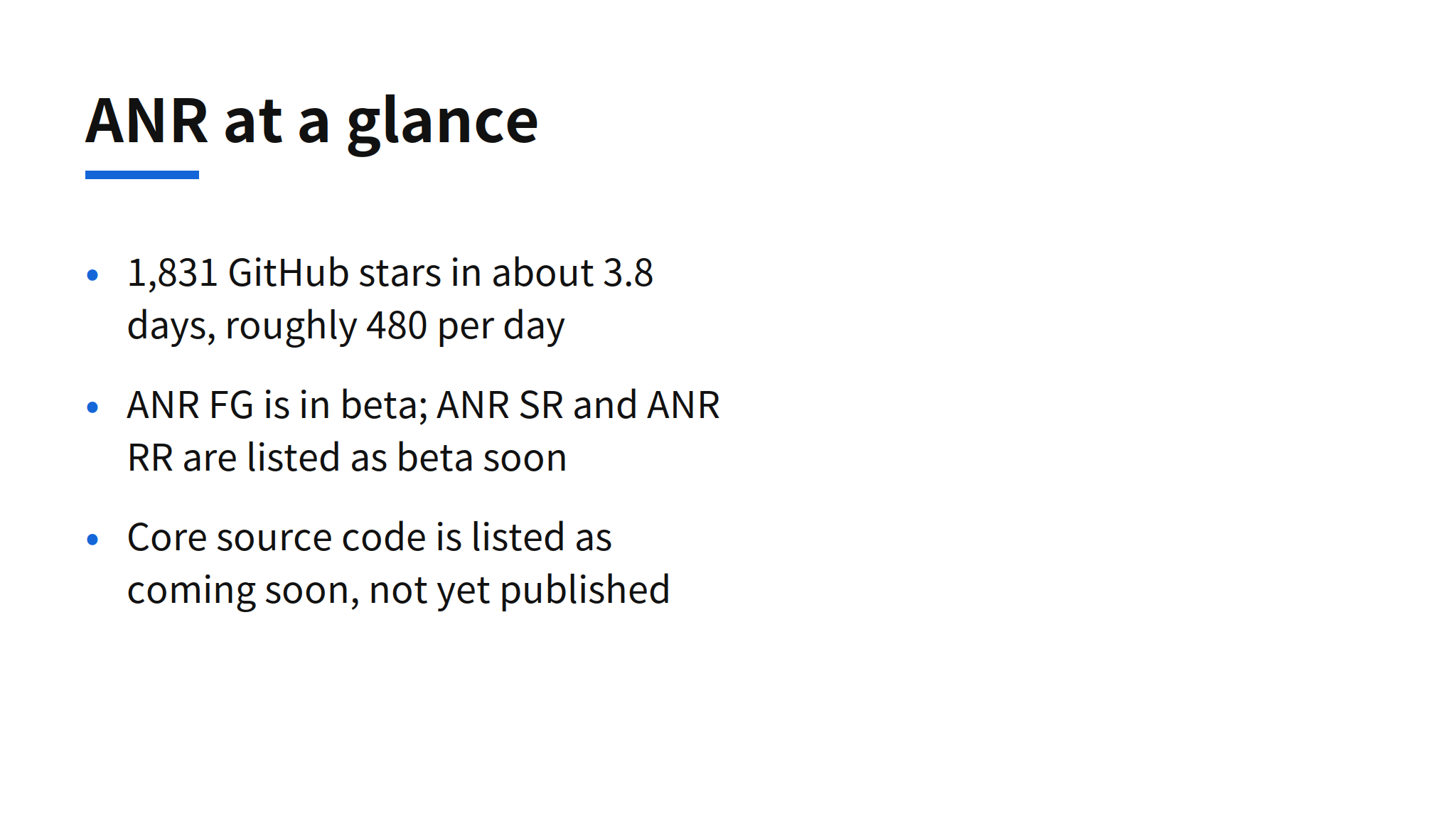
Apex Compute published Apex Neural Rendering (ANR) on GitHub on November 11, 2026, and the repository reached 1,831 stars in about 3.8 days, roughly 480 stars per day, as observed on November 15. The pitch is specific: frame generation, super resolution and ray reconstruction that are not tied to one GPU vendor. ANR FG, the frame generation part, is in beta now. ANR SR and ANR RR are listed as beta soon, and the core source code is listed as coming soon.
That split matters for how to read the release. What a gamer can actually download and install today is ANR FG plus a comparison tool called nr-record. The broader neural rendering suite is a roadmap statement. The most checkable part of the project is not a performance claim, because the README publishes no head to head numbers against NVIDIA DLSS-G. It is the comparison workflow: record one game scene once, replay it through several generators, and look at the results side by side.
Three components, one available in beta
ANR is divided into three named components. ANR FG generates frames. ANR SR is super resolution, meaning upscaling from a lower internal resolution. ANR RR is ray reconstruction, the denoising step for ray traced rendering. The naming mirrors the structure of vendor suites, where frame generation, upscaling and ray reconstruction are separate features with separate quality trade offs.
Only the first component is usable. The README describes ANR FG as in beta and labels SR and RR as beta soon, without dates. It also states that the source code is coming soon. The code that is present in the repository today is nr-record, the recording tool described below. A reader evaluating ANR as an open project should therefore separate two things: a downloadable frame generation beta that works through an existing modding layer, and a source release that has been announced but not yet delivered. The license for ANR itself was not confirmed in the GitHub API data cited by the issue. The README notes that OptiScaler, a component ANR builds on, is GPL-3.0, and that statement does not by itself settle the license of ANR.
Supported GPUs and operating systems
The support list is the core of the cross vendor claim, and it is broad on paper.
| Vendor | Supported hardware |
|---|---|
| NVIDIA | GeForce RTX 20, 30, 40 and 50 series, and GTX 16 series |
| AMD | Radeon RX 5000, 6000, 7000 and 9000 series, and Steam Deck |
| Intel | Arc A and B series |
Operating system support is Windows 10 and 11, plus Linux and SteamOS through Proton. For context, vendor frame generation has historically been gated by generation: a feature shipped for one vendor's newest cards does not reach older cards or rival hardware. A single package that lists GTX 16 series cards alongside RTX 50 series cards, Radeon generations back to RX 5000, and Intel Arc is therefore aiming at the large installed base that vendor gating leaves out. Whether quality and frame pacing hold up across that range is exactly what the missing benchmark data would need to show, and it cannot be inferred from the support list alone.
Installation through OptiScaler
ANR FG installs into a game folder rather than through a driver or a game store. The steps from the README are:
- Download a package from the Releases page. Choose anr-fg-full for games without OptiScaler, or anr-fg-addon for games that already use OptiScaler.
- Close the game, extract the package, and run the installer with the folder of the game's executable. On Windows that is
install.cmd. On Linux and Steam Deck it issh install.sh "<folder>". - On Linux and Steam Deck, set the game's launch options to the line the installer prints,
WINEDLLOVERRIDES="dxgi=n,b" %command%, orwinmm=n,bin Vulkan games. - In the game, turn on frame generation, choosing the NVIDIA option where the game offers several.
Uninstalling runs uninstall.cmd or sh uninstall.sh with the same folder. The last installation step explains the mechanism: ANR FG presents itself through the path a game already uses for NVIDIA frame generation, with OptiScaler as the intermediary layer. That is a practical route to cross vendor support, because the game does not need its own ANR integration. It also means compatibility depends on the game having a frame generation option to intercept, and on OptiScaler working with that title. Games without such an option are outside this install path as described.
Recording and comparing with nr-record
nr-record records, losslessly, the inputs a game gives to its frame generation or upscaler. A recording can then be replayed through any frame generation DLL the user has, including ANR FG and a game's DLSS-G file, and the outputs can be compared as videos or images. nr-record itself contains no frame generation; it is capture and replay infrastructure, and its source is in this repository.
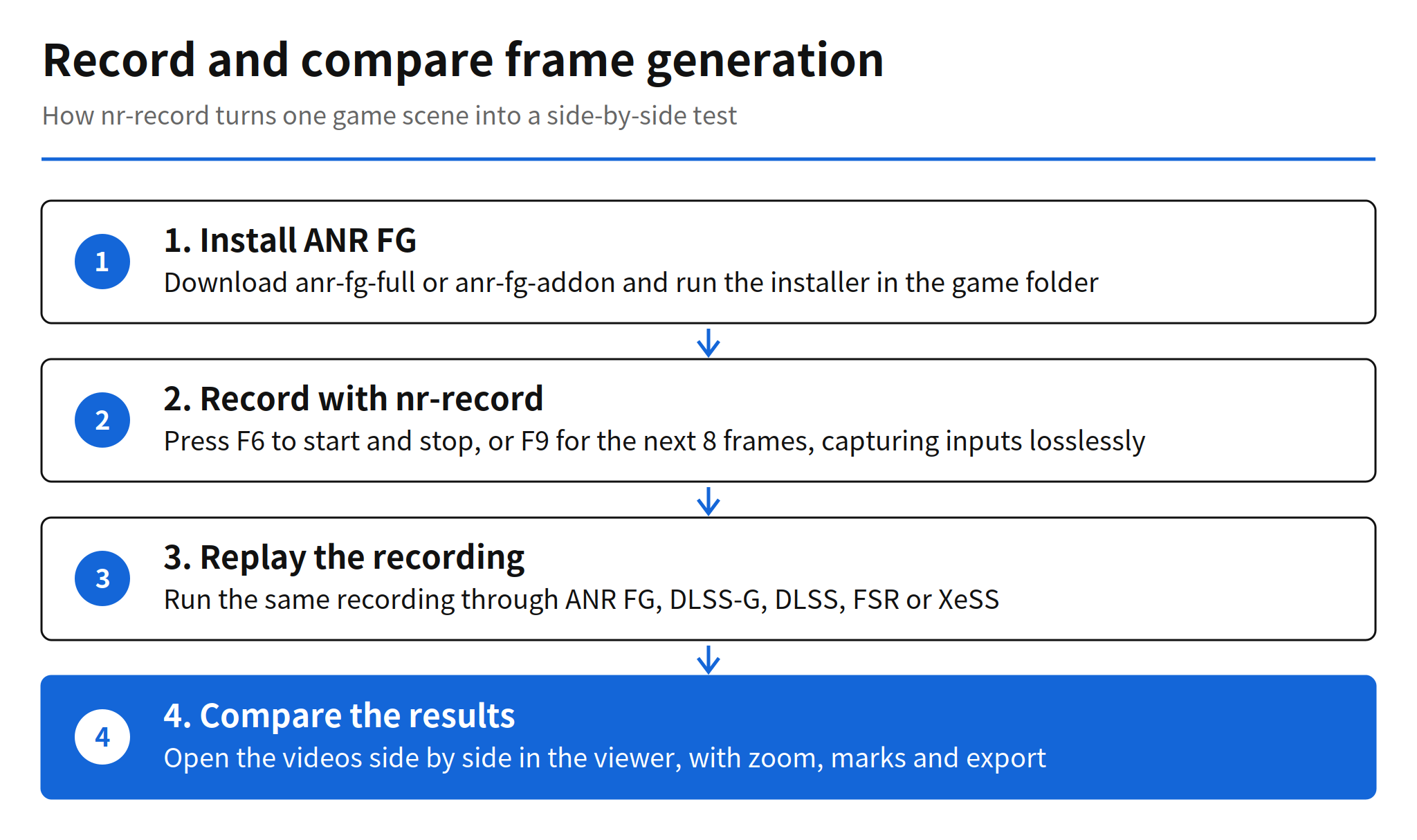
The requirements are a D3D12 or Vulkan game with DLSS frame generation, the anr-fg-full package installed, Windows 10 or 11 or Linux with Proton, and ffmpeg and ffprobe on the PATH. DLSS-G replays additionally need an NVIDIA RTX 40 or 50 series GPU. In the game, F6 starts and stops a recording and F9 records the next 8 frames. While recording, the game shows only real frames. The storage cost is stated plainly in the README: one frame takes about 26 MB at 3840x2160 and about 6 MB at 1806x972, so recordings are large by design, which is the price of lossless capture.
Replay produces a video per generator, and the viewer plays two videos in sync with a divider, side by side view, pixel zoom and marks, with export to video and images. On Linux, one command runs both replays under Proton's Wine and writes both videos, a side by side video and the compare project. The same tool can record upscaler inputs in D3D12 games through the OptiScaler menu, for replay with DLSS, FSR or XeSS generators. This is the part of the release with lasting value regardless of how ANR FG itself performs: a shared, repeatable input for competing generators makes quality claims testable by third parties instead of resting on vendor selected clips.
Performance results and open questions
There are no quantitative performance results in the README. It does not publish frame rates, latency, or image quality scores for ANR FG against DLSS-G, FSR or XeSS on the same scene. Instead, Apex asks users to post results as GitHub issues: performance reports should run the test kit from the release and attach its result file, and problem reports should include the game, GPU and driver, operating system, settings, what was seen, and the newest nr_fg-*.log file from the game's OptiScaler folder.
Four points therefore remain unconfirmed. The timing of the core source code release is unconfirmed, beyond the coming soon label. The release timing for ANR SR and ANR RR is unconfirmed, beyond beta soon. Performance relative to DLSS-G and other generators is unconfirmed in published numbers. And the license of ANR itself is unconfirmed, separate from the GPL-3.0 statement about OptiScaler. None of these gaps is unusual for a four day old repository, but they set the order of evidence to watch: source publication, then independent nr-record comparisons, then any vendor response.
Why a cross vendor generator draws attention
The star growth, 1,831 stars in under four days, signals demand rather than proven quality. Gamers with older or non NVIDIA hardware have a clear reason to watch a project that promises frame generation without a hardware upgrade, and developers and modders have a reason to watch nr-record even if they never install ANR FG. The risk is the familiar one for beta rendering software: generated frames can add latency and visual artifacts, and those costs vary by game and by GPU generation. Until replay comparisons on the same recordings are published, ANR FG should be treated as a promising beta with a good verification tool attached, not as a demonstrated DLSS-G equivalent.
Related articles
- Aion Instruct on Windows: 2.3B, 32K Context, GPU Rollout, a small model release focused on Windows GPU deployment
- llama.cpp ggml v1 Release, another open infrastructure release for running models across hardware
FAQ
What is Apex ANR and what is available now?
Apex Neural Rendering is a cross vendor neural rendering project from Apex Compute. ANR FG, its frame generation component, is in beta. ANR SR for super resolution and ANR RR for ray reconstruction are listed as beta soon, and the core source code is listed as coming soon.
Which GPUs and operating systems does ANR FG support?
The README lists NVIDIA GeForce RTX 20, 30, 40 and 50 series and GTX 16 series, AMD Radeon RX 5000, 6000, 7000 and 9000 series and Steam Deck, and Intel Arc A and B series. It runs on Windows 10 and 11, and on Linux and SteamOS with Proton.
How do you install ANR FG in a game?
Download anr-fg-full for games without OptiScaler or anr-fg-addon for games that already use OptiScaler, close the game, extract the package and run the installer with the folder of the game executable. On Linux and Steam Deck, set the launch option the installer prints, then turn on frame generation in the game.
What does nr-record do?
nr-record records, losslessly, the inputs a game gives to frame generation or an upscaler. You can replay the same recording through ANR FG, DLSS-G, DLSS, FSR or XeSS and compare the results as videos or images side by side.
Is there benchmark data comparing ANR FG with DLSS-G?
No quantitative head to head numbers are published in the README. Apex asks users to run the test kit from the release and attach the result file to a GitHub issue, so performance claims remain unconfirmed until those results accumulate.