JetBrains Air in 2026.3: ACP Agents Inside Every IDE
JetBrains released its 2026.3 IDE lineup on November 5, 2026, and the headline change is not a single editor feature. The agent execution layer called JetBrains Air now ships as a standard part of the full IDE range. Air runs multi-agent workflows inside the IDE, tracks them, and verifies them there, while the tools for reviewing changes stay with the developer. A free tier called Junie Lite is included, so a JetBrains account alone is enough to start using an agent without a subscription.
That placement changes what Air is. It started as a standalone agentic development environment, then appeared natively in the PyCharm 2026.3 early access builds. With the 2026.3 release it stops being a separate place to try and becomes the default layer inside the IDEs developers already use. The practical question for a team is no longer whether to adopt a new environment. It is which agent to plug into the environment it already has, and how well the IDE keeps that agent from drifting.
Air as the Default Agent Layer
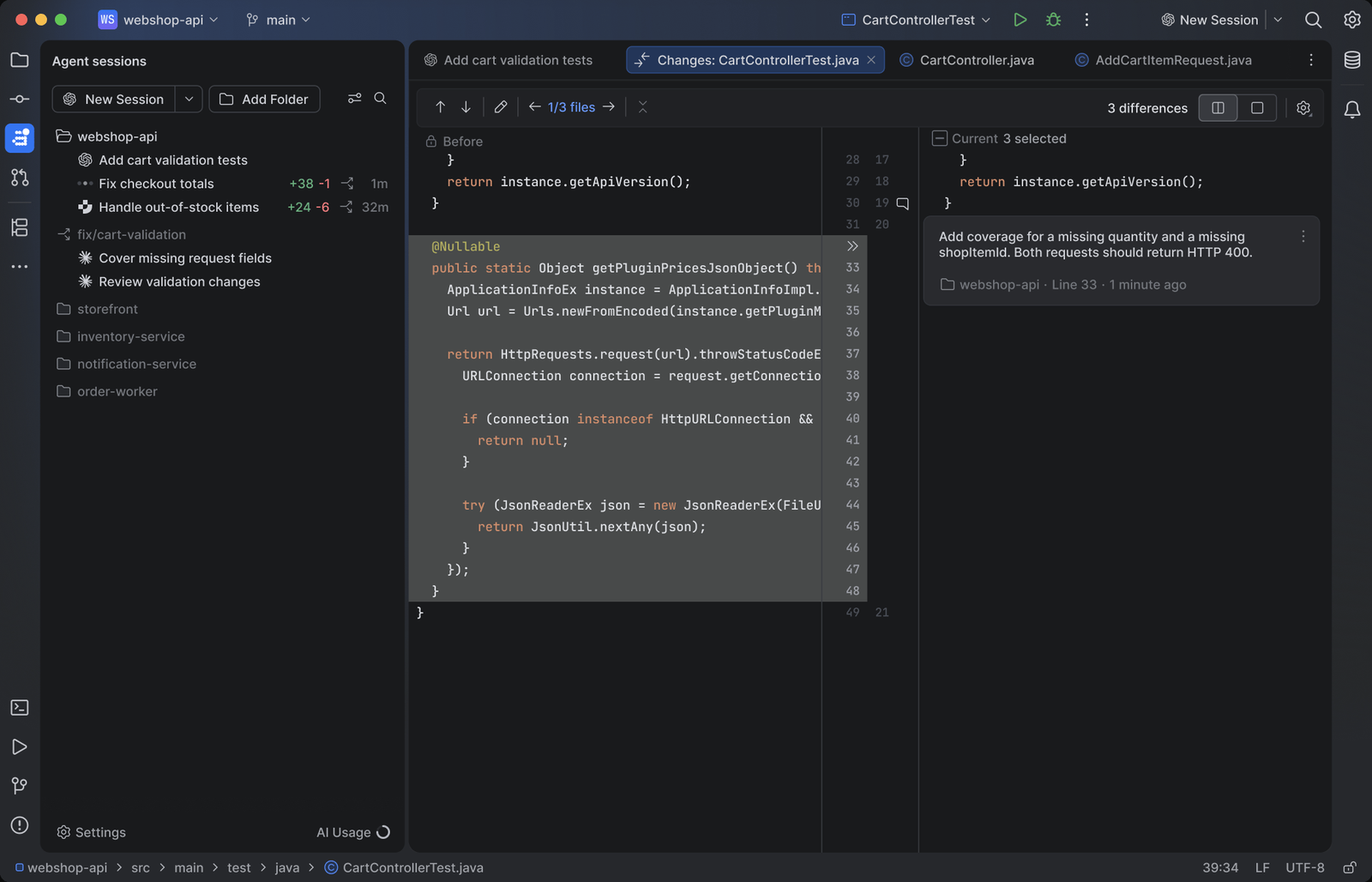
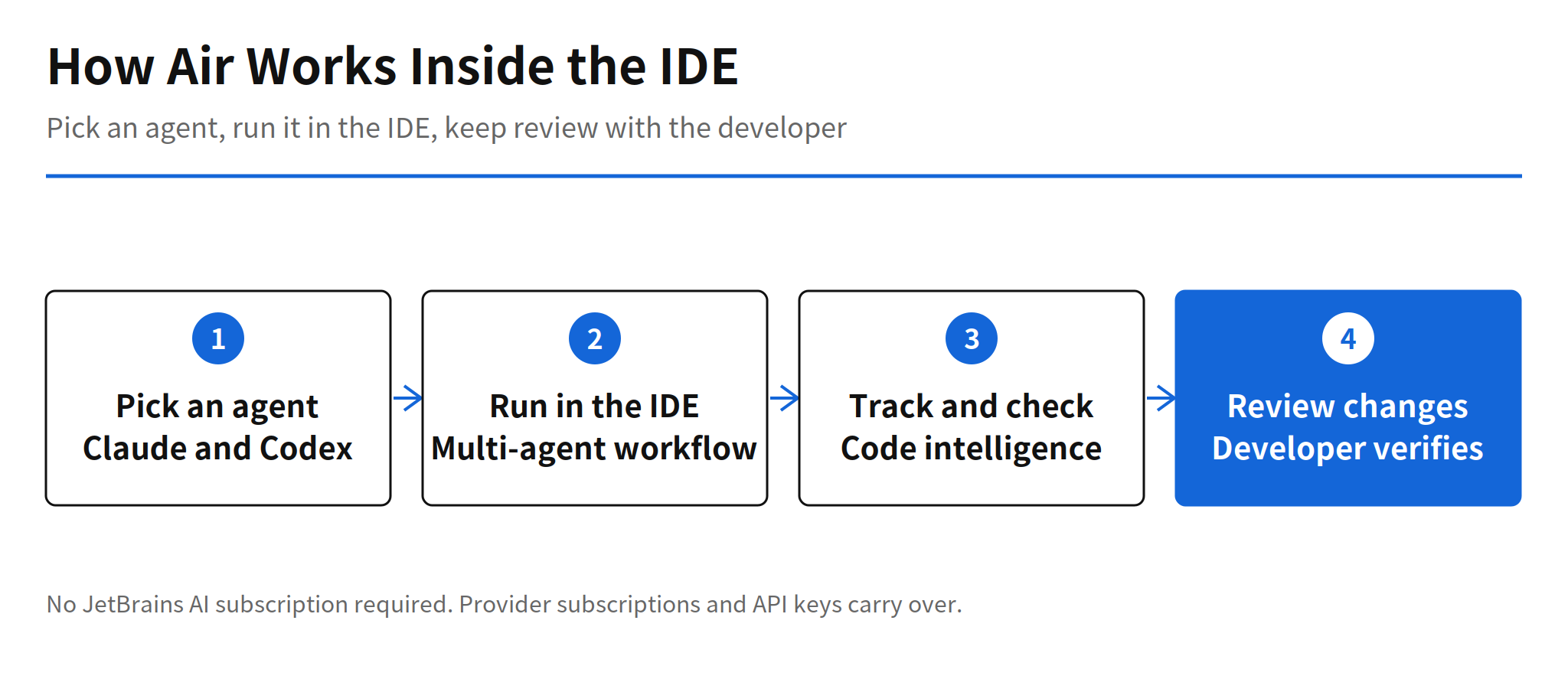
JetBrains describes Air as the layer that executes, tracks, and verifies multi-agent workflows inside the IDE. Code intelligence is the part that should reduce agent drift, because the agent works against the same project model the IDE maintains instead of a plain text view of the files. Review stays on the developer side: the tools for inspecting changes remain the place where a person accepts or rejects what the agent produced. That split is the design bet. Generation can be delegated to an outside model, while grounding and review stay inside the product JetBrains controls.
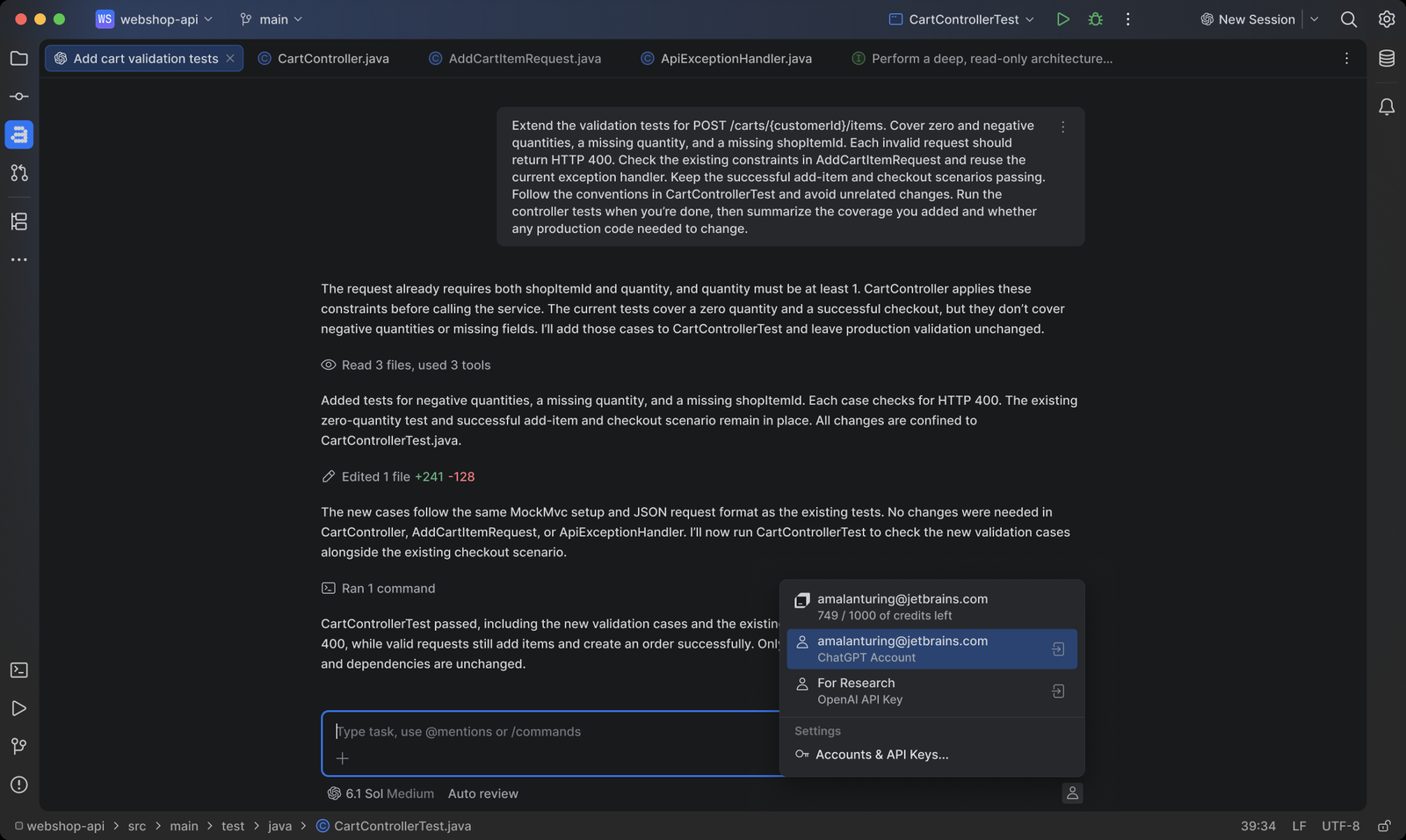
The billing structure follows the same split. A JetBrains AI subscription is not required for Air. Existing provider subscriptions and API keys carry over, so a team paying for an agent elsewhere does not pay a second toll to run it inside a JetBrains IDE. Junie Lite lowers the entry point further: it is included free and works with a JetBrains account and no subscription. JetBrains did not publish the usage limits or the detailed free tier conditions in this announcement, so how far Junie Lite goes in daily work is still an open question.
Agents That Run Through ACP
The agents JetBrains lists for Air are Claude Agent, Codex, Gemini, GitHub Copilot, Junie, and OpenCode, along with any agent compatible with the Agent Client Protocol (ACP). Handling agent choice through an open protocol is what keeps the layer from becoming a single vendor channel. A team can run a commercial agent today and attach an in-house agent or a custom harness later, as long as it speaks ACP, without changing editors.
This also moves the basis for choosing an agent. When several agents run in the same IDE, raw model performance is only part of the decision. Session handling, tracking, and the quality of the review surface start to matter as much, because that is where a developer feels the difference between two agents doing similar work. JetBrains published no comparison numbers or internal benchmark for agents running in Air in this release, so any claim about which agent performs best inside Air is unconfirmed at this point.
Companion Changes in the 2026.3 Wave
IntelliJ IDEA 2026.3 carries Air alongside extensions for Cursor and VS Code, which underlines that JetBrains expects agent workflows to cross editor boundaries rather than stay inside one product. RustRover 2026.3 opens the debugger to AI agents with a Debugger MCP Server and bundled skills, and the same release focuses on debugger and profiler screen readability. Giving an agent access to debugger state is a deeper step than code completion, because the agent can inspect runtime behavior instead of guessing from source alone.
PyCharm 2026.3 adds support for the lazy import syntax in Python 3.15 and introduces workspaces that keep a separate console and terminal for each subproject. Those are conventional IDE improvements, and they matter here for a simple reason: the 2026.3 wave treats the agent layer and the underlying editor as one release. Teams upgrading for Python 3.15 support or debugger readability get Air in the same install, whether they planned an agent rollout or not.
Limits and Open Questions
Three gaps stand out in the November 5 announcement. First, agent quality inside Air depends on each provider model, and JetBrains offered no comparative data to judge it. Second, the usage ceiling and detailed conditions for the free Junie Lite tier were not confirmed. Third, Android Studio is based on the IntelliJ platform, but whether it belongs to this 2026.3 wave for Air is unconfirmed. That last point matters for Android teams, whose main workspace is Android Studio rather than IntelliJ IDEA directly, so the rollout that reaches them may follow a different schedule.
For IntelliJ platform teams that do get Air now, the sensible first step is small. Run one ACP agent on real project work, keep the existing review habits, and check whether tracking inside the IDE catches drift earlier than a terminal based agent did. The release makes that trial cheap: no new subscription, no new editor, and a free tier for a first pass. What it does not yet provide is the evidence to standardize on one agent, and teams should treat that standardization as a decision still to be made.
Related Reading
For another IntelliJ story, see the report on OpenIDEA and its Rust rebuild of IntelliJ IDEA. For background MCP work in a coding agent, see Claude Code 2.1.319 and background MCP tasks.
FAQ
What is JetBrains Air in the 2026.3 release?
Air is the agent execution layer that JetBrains shipped across its 2026.3 IDE lineup on November 5, 2026. It runs multi-agent workflows inside the IDE, tracks them, and keeps change review tools with the developer.
Which agents can run through Air?
JetBrains lists Claude Agent, Codex, Gemini, GitHub Copilot, Junie and OpenCode, plus any agent compatible with the Agent Client Protocol (ACP). Agent choice goes through ACP, so no single model provider is locked in.
Do you need a JetBrains AI subscription to use Air?
No. JetBrains says a JetBrains AI subscription is not required, and existing provider subscriptions and API keys carry over. The included Junie Lite tier works with a JetBrains account and no subscription, although its usage limits were not specified in the announcement.
Is Android Studio included in the 2026.3 Air rollout?
That is unconfirmed. Android Studio is based on the IntelliJ platform, but the November 5, 2026 announcement does not confirm whether it is part of this 2026.3 wave for Air.