rea-video Release: Shot-by-Shot Video Reverse Engineering
JuneYaooo published rea-video on GitHub on October 29, 2026. The tool reverse engineers any video shot by shot, judging for each shot whether it was filmed live, generated with AI, or made with code. It reached 2,039 stars and 288 forks in its first eight days, about 255 stars per day, under the Apache License 2.0.
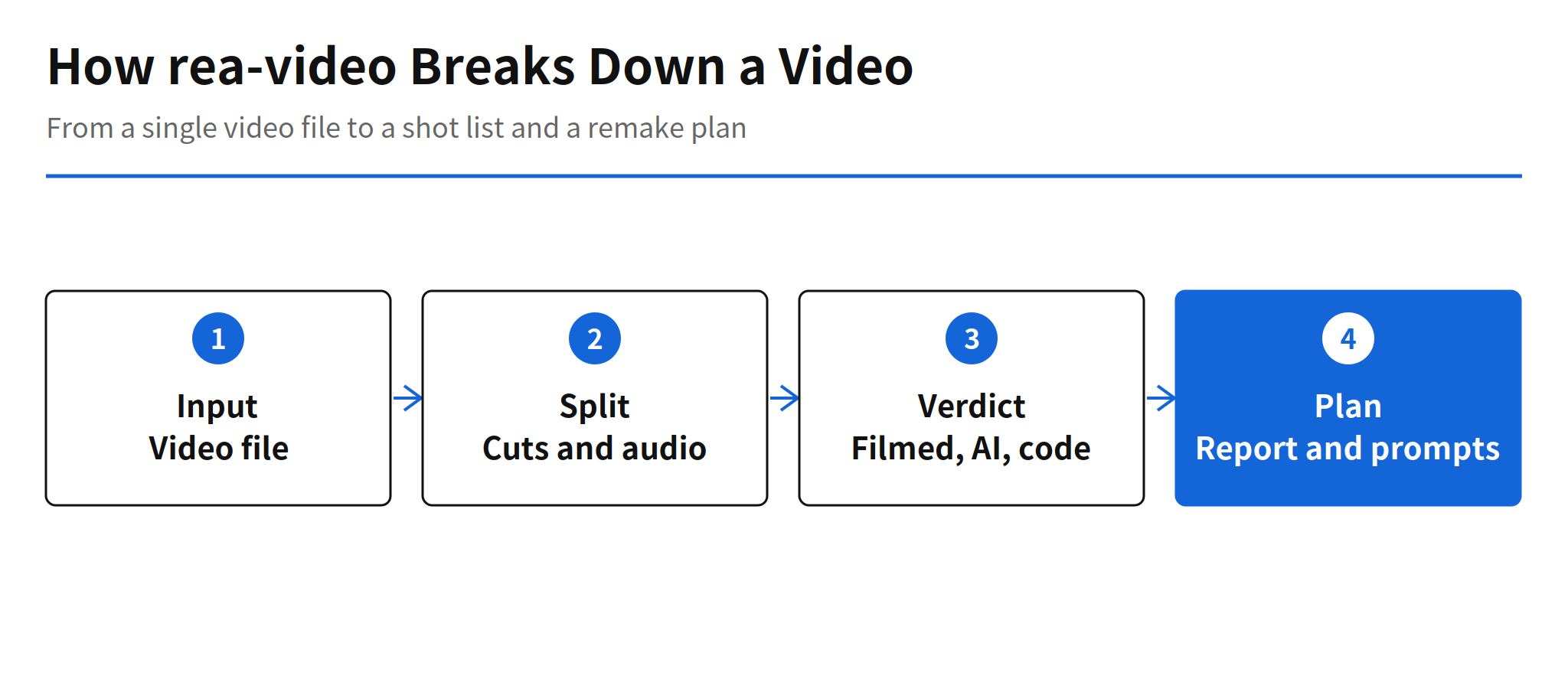
That judgment is the part remakes usually stall on. A creator who wants to copy a viral video first has to decide how each part was made, because the production route follows from that call: shoot it, generate it, or build it in code. rea-video packages that call, plus the timing and audio analysis around it, as a skill that runs inside Claude Code and Codex, and it ends the run with a remake plan rather than a pile of notes.
Shot Classification and Timed Analysis
The core output is a per shot verdict. Alongside the filmed, AI generated or code classification, rea-video captures the start and end of subtitles and style text and exports them as SRT and ASS. It also analyzes cut positions and beats, whether the audio is a human voice or an AI voice, and the BPM of the music. Read together, those pieces describe not just what a video shows but how it was assembled, which is what a remake crew or a solo creator actually needs before picking tools.
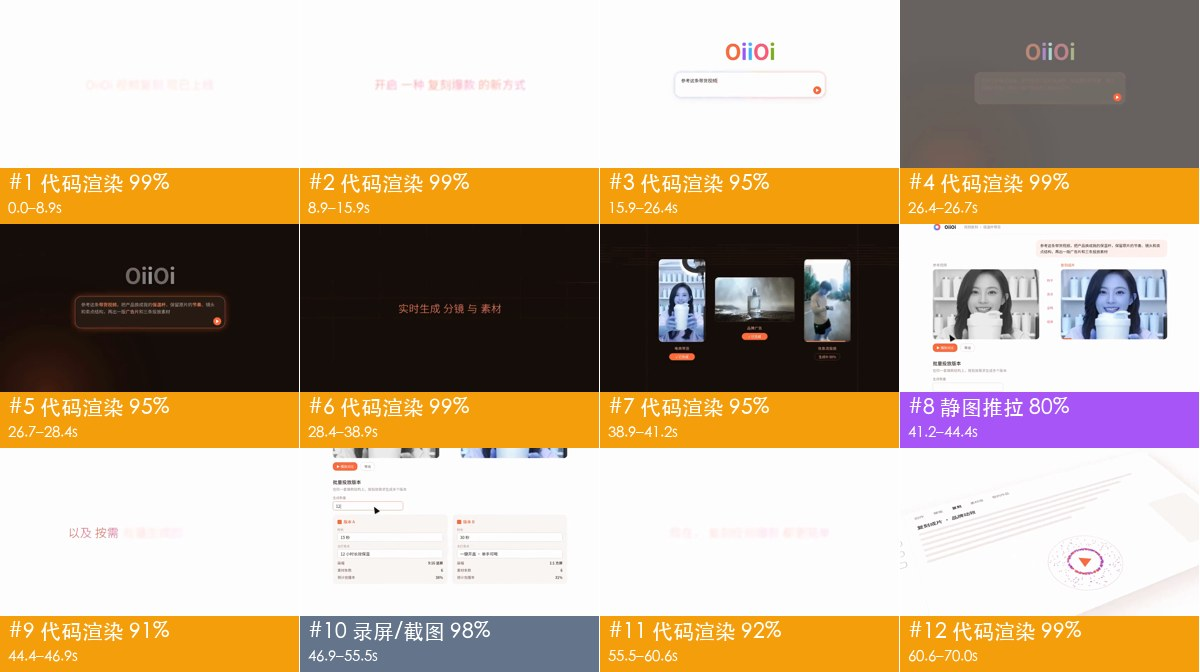
The optional vision model changes the depth of that analysis. With a vision model such as Gemini or Doubao attached, the tool writes a reverse engineering prompt for each shot. Without one, the hosting agent views the images itself and checks the uncertain shots. That fallback matters for adoption, because it keeps the skill usable inside an agent session without a separate vision API account, at the cost of putting more review work on the agent.
Outputs and the Remake Plan
A run produces three things: a one line summary, a remake plan that splits the work into what to shoot, what to generate and what to code, and a report.html file containing shot frames, the evidence behind each verdict and the prompts. The plan is the distinctive part. A classification list alone still leaves the creator to translate verdicts into tasks, while the plan makes that translation explicit, so the analysis connects directly to production instead of stopping at description.
For teams that break down reference videos inside a short form pipeline, that connection is the practical value. The reference step, which is normally manual viewing and note taking, becomes an agent task with a file based output that can be reviewed, shared and reused. The limit is that the plan inherits the accuracy of the verdicts underneath it, so a wrong verdict does not stay a labeling error, it becomes a wrong production instruction.
Example Reports in the README
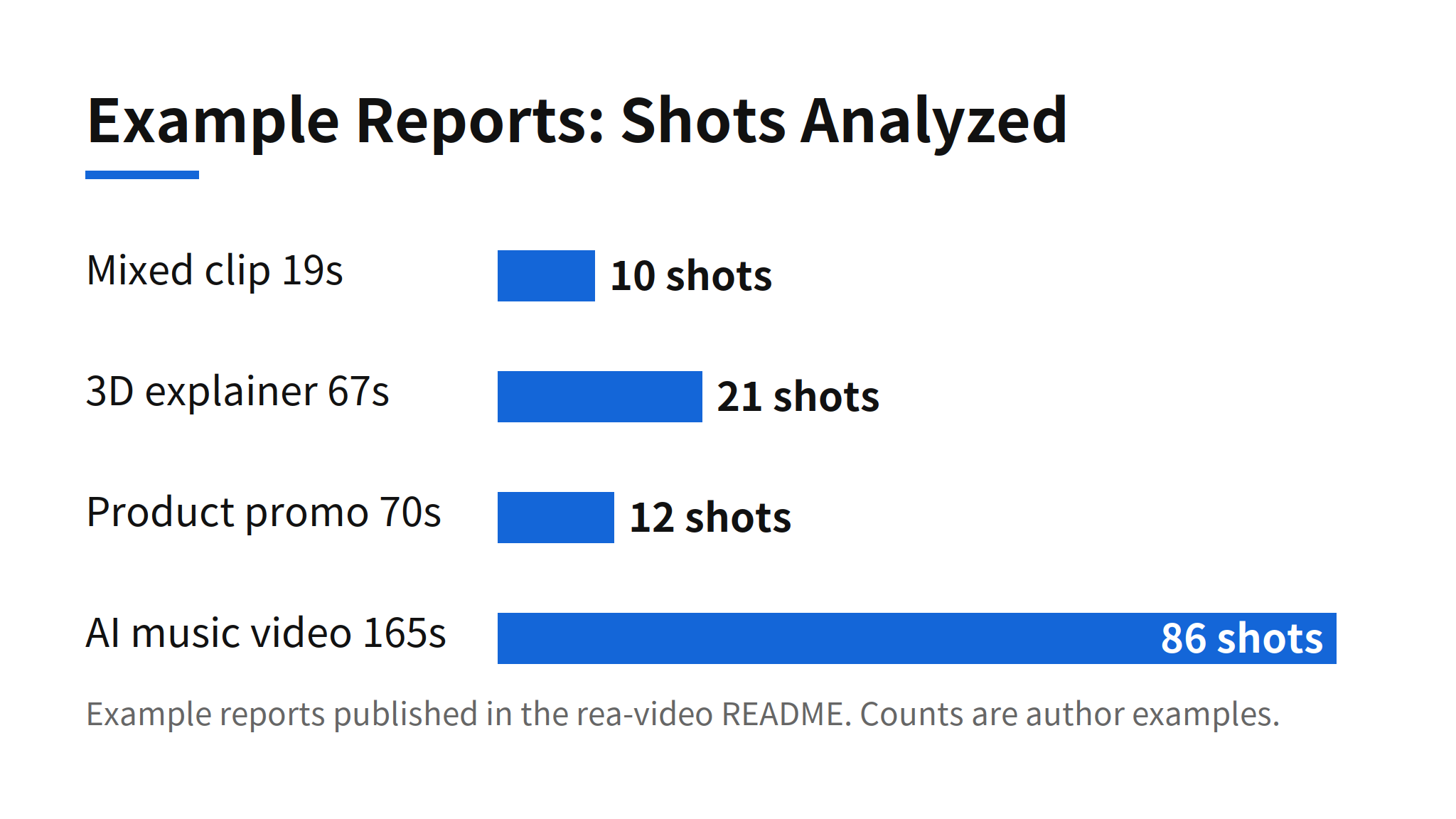
The README publishes four example cases: a mixed clip of 19 seconds in 10 shots, a 3D explainer of 67 seconds in 21 shots, a product promo of 70 seconds in 12 shots where 83% was code driven motion graphics, and an AI music video of 165 seconds in 86 shots. The spread is useful as a scope signal. The tool is aimed at mixed production videos, not only at pure AI clips, and the promo case shows why the code category exists: screen led product videos are often mostly rendered, not filmed or generated.
Accuracy Limits and Language Coverage
The README is candid about one failure mode. After platform transcoding, an offline tool misjudged filmed footage as AI generated, and the project presents that case as the reason an agent review step exists for uncertain shots. In practice that means the verdicts should be treated as a first pass to be reviewed, especially for footage that has passed through a social platform's compression, rather than as a final forensic finding.
Documentation is currently centered on Chinese, while the report output language follows the language of the request, according to the README. English speaking users can therefore get English reports, but they will be reading much of the detailed documentation through translation for now. That gap, plus the missing accuracy benchmark, is the main friction between the rapid star growth and production trust.
Related Reading
For a recent release on the generation side of AI video, see the earlier report on Gemini Omni 1.2 Flash and its 15 second video output. rea-video sits on the opposite side of the same workflow, analyzing finished videos so their production method can be understood and repeated.
FAQ
What does rea-video do?
rea-video reverse engineers a video shot by shot. For each shot it judges whether the shot was filmed live, generated with AI, or made with code, and it also analyzes cut positions, beats, whether audio is a human or AI voice, and music BPM. The result is a one line summary, a remake plan, and a report.html file with shot frames, evidence and prompts.
How is rea-video installed and run?
rea-video runs as a skill inside coding agents such as Claude Code and Codex. Installation requires ffmpeg and Python 3.10 or later. The main language is Python and the license is Apache License 2.0.
What subtitle formats does rea-video export?
rea-video captures the start and end timing of subtitles and style text and exports them as SRT and ASS. That timing sits alongside the shot analysis in the same report, so text, cuts and audio are reviewed together.
Is the shot classification accuracy verified?
No independent benchmark for classification accuracy appears in the README, and the published example reports are the author's own cases. The README itself records a case where an offline tool misjudged filmed footage as AI generated after platform transcoding, which is why the workflow includes an agent review step for uncertain shots.