Floorplan Maps Your Codebase for Claude Code and Codex
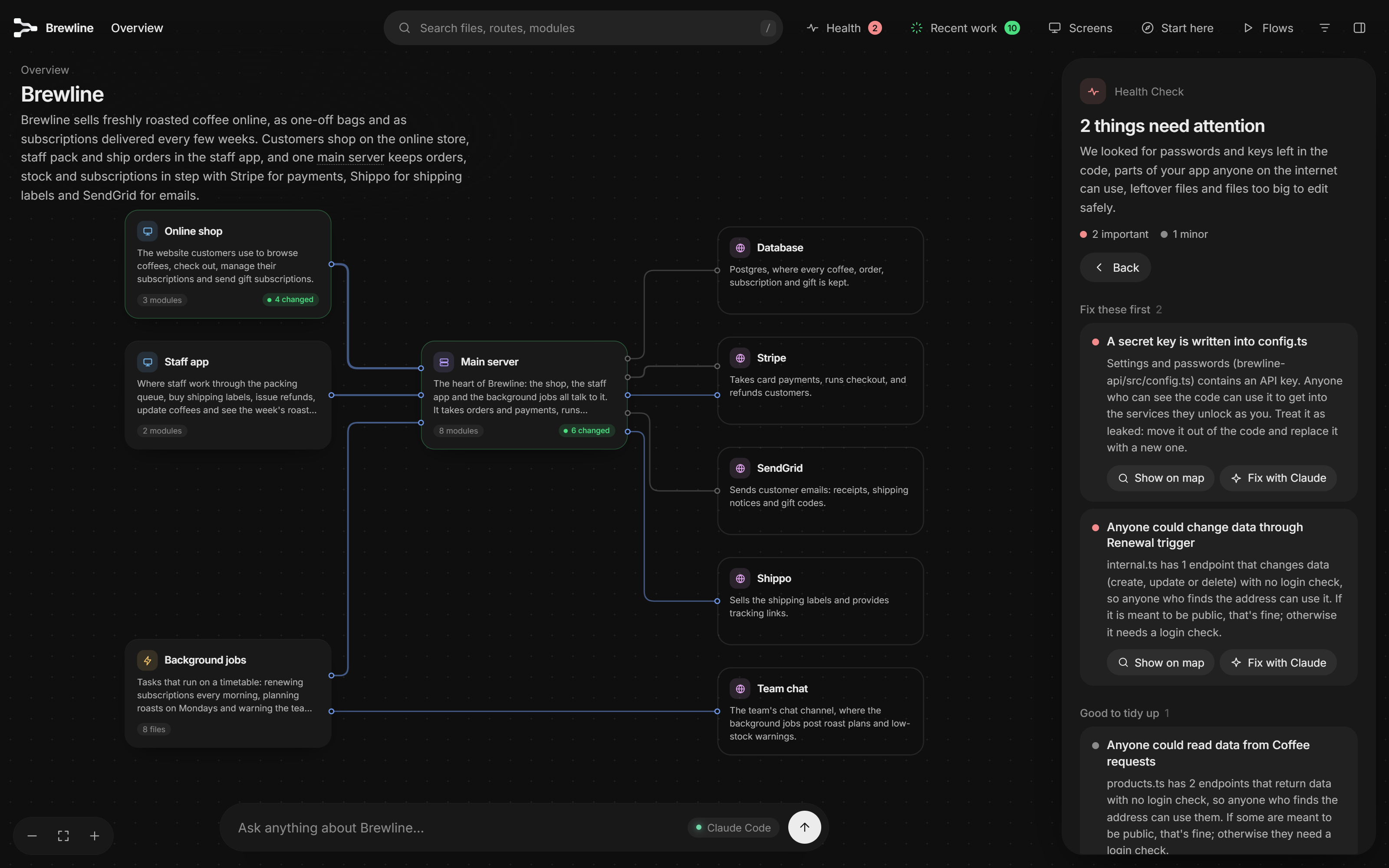
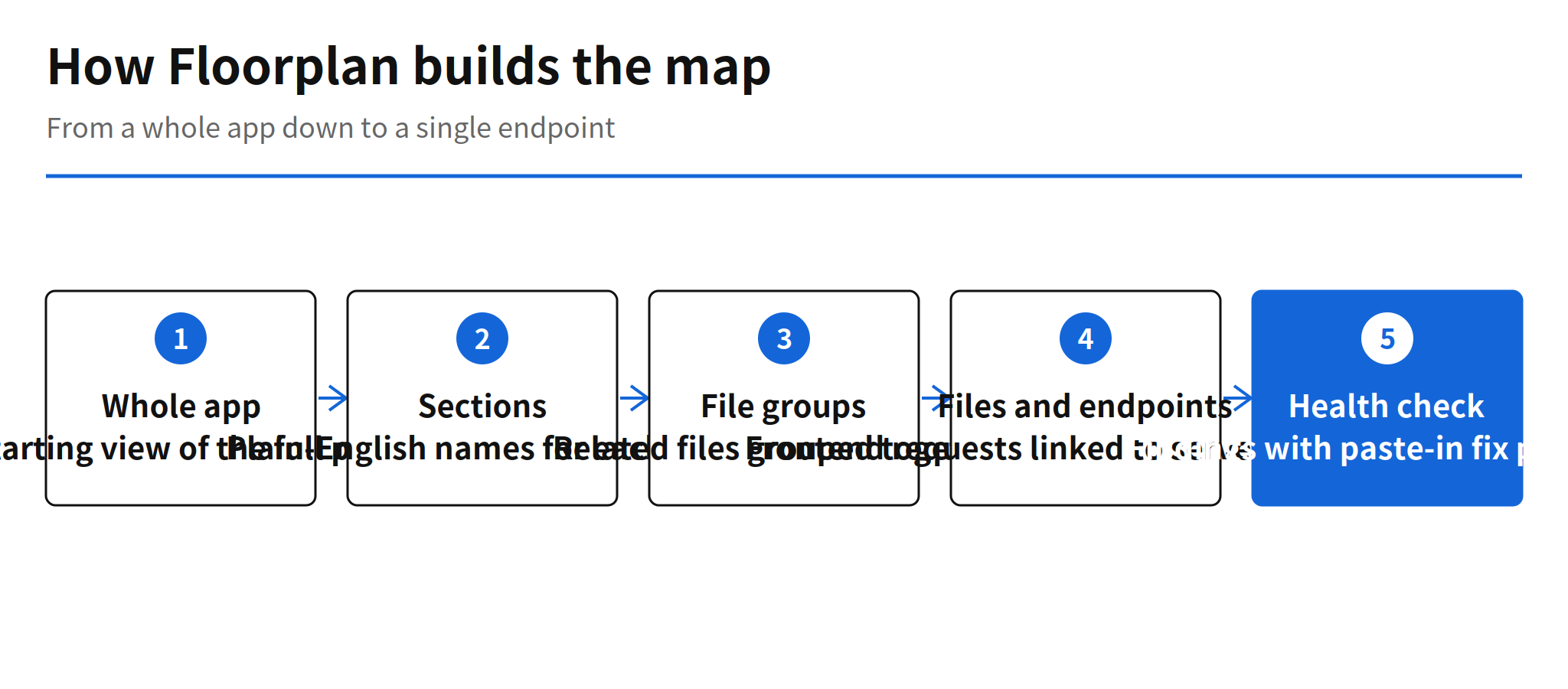
Floorplan is an open-source tool by haydenschmitty that turns a codebase into an interactive map of the app. Claude Code or Codex reads the code, and Floorplan draws the structure as a map that starts from the whole product and zooms down through sections, file groups and files to individual endpoints. Every element carries a plain-English name, and frontend requests are linked to the server endpoints they call, even when the two sides live in different repositories.
The problem the README names is familiar to anyone building with coding agents. The app works, but the person who owns it cannot say what breaks if the payment flow changes. Agent-written code widens that gap with every session, because the volume of change grows faster than the owner's mental model of the system. Floorplan targets the owner rather than the specialist. It is a readable map, not a developer knowledge graph, and that positioning explains most of its design choices.
Map Structure From Whole App to Endpoint
The zoom levels are the core of the tool. The top view shows the whole app as named areas. Zooming in moves through sections and file groups down to single files and endpoints. Cross-repository links matter here, because a modern app rarely keeps its frontend and backend in one place. A request drawn on the map can be followed to the endpoint that serves it in another repository, which is the exact trace an owner needs before approving a change to a checkout or subscription flow.
The README also sets Floorplan against Archify and Understand Anything in a comparison table. The distinction it draws is the audience. Tools in this space usually optimize for engineers who already read code fluently. Floorplan optimizes for the person who commissioned the app and now has to live with it, which is a growing population as agent-built software spreads beyond professional development teams.
Health Check Findings and Fix Prompts
The built-in health check scans for a short list of classic mistakes: keys written into the code, Supabase tables and Firebase rules that anyone can read, Stripe webhooks that can be forged, and endpoints with no login check. The demo screenshot above shows the format in practice. A secret key in config.ts and an unauthenticated data-changing endpoint are flagged in plain language, each with a button that produces a fix prompt for the coding agent.
That pairing of finding and fix prompt is the practical detail. A report that only lists problems still leaves the owner dependent on someone else to act. A finding that arrives with a paste-ready prompt closes the loop inside the same workflow that created the code. The README is careful about scope, though. It calls the feature "a check, not an audit", and that line should be taken at face value. The check covers known, enumerable mistakes. It is not a substitute for a security review of a payment or health product.
Recent Work Tracking for Agent Changes
Recent work is the second feature aimed at the same gap. When an agent changes code, the affected cards on the map turn green, and each change is annotated with how it connects to the request that prompted it. For an owner reviewing an agent session after the fact, that turns a diff into a story: what was asked, what moved, and where the change sits in the whole system.
This is where Floorplan fits current AX practice. Teams already use agents to produce changes faster than a human can read them line by line. A map that marks the blast radius of each session gives review a starting point that raw diffs do not. It does not verify that the change is correct. It shows where to look, which is the part of review that degrades first as change volume grows.
First-Week Traction on GitHub
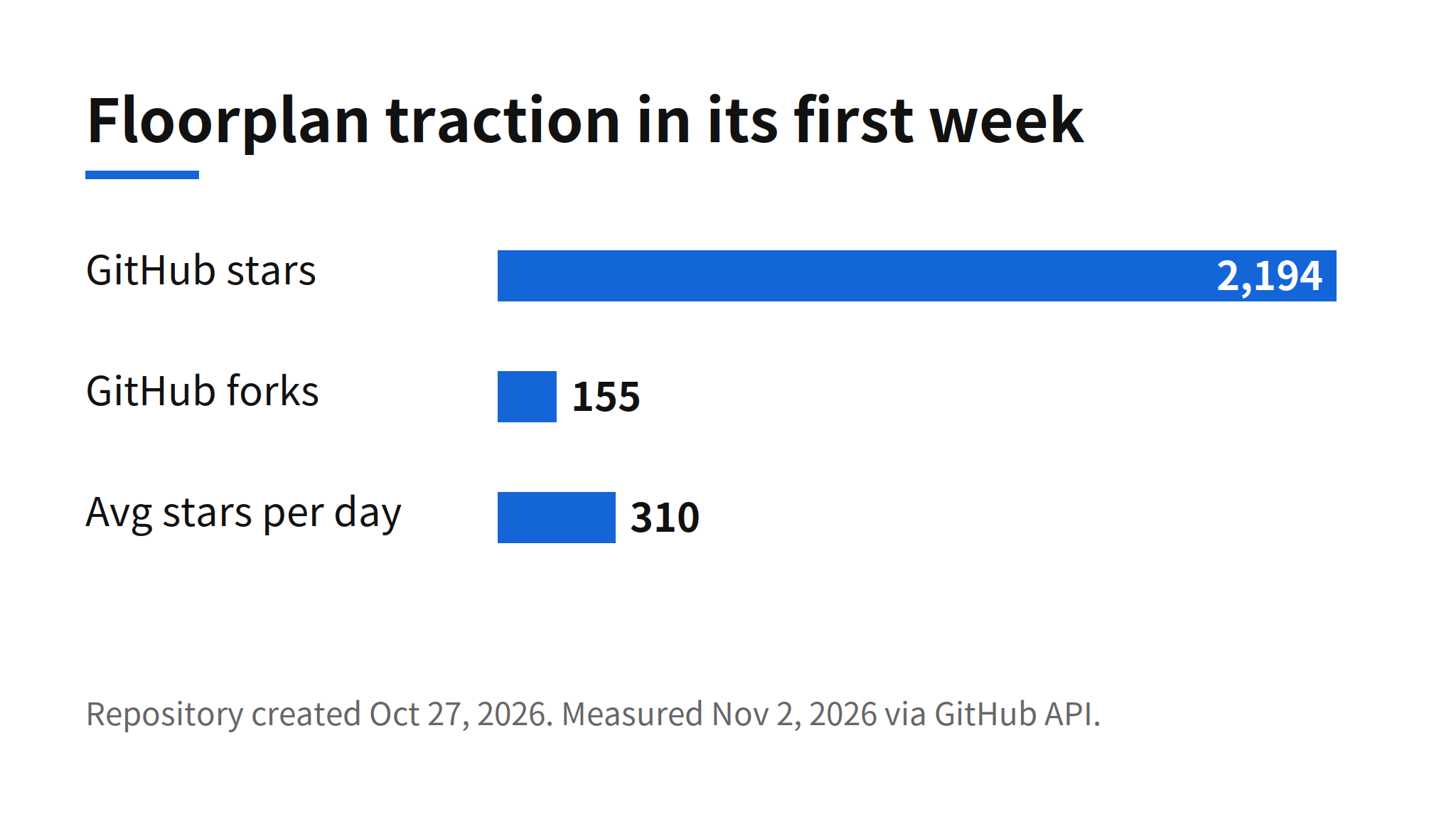
The repository was created on October 27, 2026. Measured on November 2, it had 2,194 stars and 155 forks, which means it crossed 2,000 stars in about seven days, at roughly 310 stars per day. The project is JavaScript under the MIT license, currently at version 0.6.3, and its README badge lists zero dependencies.
Star velocity at this scale signals a felt problem more than a finished product. A codebase map is not a novel category, and the repository is still pre-1.0. What the first week suggests is that the specific framing, a map for the app owner rather than the engineer, landed with the audience that agent coding created. Whether those stars convert into sustained use depends on map quality at scales the demo does not show.
Requirements and the Blueprint Mode
Running Floorplan requires Node.js 18 or later and either Claude Code or Codex. There is no separate API key. It runs on the existing subscription, which keeps the trial cost at zero for anyone already paying for one of the two agents. A live demo is published as well, so the map can be clicked through before anything is installed.
One mode stands apart from the codebase reading. When no code exists yet, Floorplan can draw a blueprint, a planned map, from a PRD or a plain description alone. That makes the tool usable at the start of a project rather than only after the fact, and it hints at a second use: comparing the planned map against the map of what the agent actually built, once the two can be placed side by side. The README does not promise that comparison today, so it stays a direction rather than a feature.
Open Questions on Scale and Stability
- Large and legacy codebases: whether map quality holds on a large monorepo or an old legacy codebase is unconfirmed. The published demo is a single coffee subscription app.
- Health check scope: the README itself draws the line at "a check, not an audit". The finding list covers classic mistakes, not a full security assessment.
- Format stability: at version 0.6.3, the map format and the plugin structure can still change between releases.
None of these gaps undercut the first-week result. They mark the distance between a demo that persuades and a tool that survives contact with a messy production codebase. The honest test for Floorplan is a large, older repository with years of accumulated structure, and that test has not been published yet.
FAQ
What does Floorplan do?
Floorplan uses Claude Code or Codex to read a codebase and draw an interactive map of the app. The map starts from the whole app and zooms down through sections, file groups and files to individual endpoints, with plain-English names on each element.
What does the Floorplan health check look for?
The built-in health check looks for keys written into code, Supabase tables and Firebase rules that anyone can read, Stripe webhooks that can be forged, and endpoints with no login check. Each finding comes with a fix prompt that can be pasted into the coding agent. The README describes it as a check, not an audit.
What is needed to run Floorplan?
Floorplan needs Node.js 18 or later and either Claude Code or Codex. It runs on the existing subscription with no separate API key, and the project itself lists zero dependencies. A live demo is also available for trying the map without installing anything.
How fast did Floorplan grow on GitHub?
The repository was created on October 27, 2026. Measured on November 2, it had 2,194 stars and 155 forks, which works out to roughly 310 stars per day across its first week. The project is MIT licensed JavaScript, currently at version 0.6.3.